Digital & Service Design Lead, Rome
Making complex services
feel human.
From global brands to humanitarian programmes in the field, I take a service from strategy through research to the interface itself, and design it to work where it matters most.
Areas of expertise
(01) Hover, then clickSelected work, WFP


Other work
Explore →


Designed to hold up where it actually matters
My approach begins with listening, questioning assumptions and looking beyond what happens on the screen. I connect people's needs with organisational realities, turning fragmented systems into services that feel coherent and human.
People before processes
I begin by understanding the people involved, their needs, behaviours and the context surrounding them.
From insight to implementation
I connect research, strategy and design to turn evidence into services that can work in the real world.
Designed for the whole system
I look beyond individual touchpoints to align user needs, operational realities and organisational goals.

Hi, I'm Francesco, a Digital & Service Design Lead. I make complex services legible, then design the parts people actually touch.
For over 15 years I've designed products and services across very different worlds: luxury e-commerce, telecommunications, and humanitarian programmes with the World Food Programme.
The through-line is the same in all of them. Research and strategy on one side, the interface itself on the other, and no hand-off in between: I stay with a service from the first process map to the last screen.
Outside work I paint, listen to a lot of music, and keep a hand in visual design and digital storytelling. Not a separate thing from the job, but where the eye comes from.
15
years across luxury, tech & humanitarian
6
sectors across public, private & non-profit
3
national governments supported via WFP
20+
iconic brands, Prada, TIM, Luxottica → view all
Experience
(06) 2011–2026Digital & Service Design Lead
World Food Programme (WFP) · Rome
Service design and UX research from WFP HQ, supporting humanitarian cash-assistance and food-security programmes across country offices worldwide.
Graphic & Digital Design Expert
World Food Programme (WFP) · Rome
Project management, art direction and digital design for WFP's Cash-Based Transfer division, turning complex processes into intuitive, digitally-oriented solutions.
Senior Consultant, UX / UI Design
Reply · Rome & Milan
UX/UI design for 20+ brands across luxury, telecoms, finance and healthcare, Prada, Miu Miu, TIM, Luxottica, UnipolSai, Generali and Intesa Sanpaolo.
Art Director & Graphic Designer
Filas · G. Fiorucci · Freelance · Rome
Brand identity, art direction and graphic design across multiple clients and agencies.
Open to what comes next
Let's work
together.
Available for senior design roles, consulting and advisory.
The work shown was produced in my roles at the World Food Programme and Reply, on behalf of the respective organisations and clients. All names, logos and trademarks belong to their owners and appear for portfolio purposes only.
Redesigning social protection
in Grenada.
End-to-end service design engagement with the Government of Grenada, mapping, analysing, and reimagining how cash assistance reaches the most vulnerable. The redesign has since been approved by the Cabinet of Grenada and adopted as the route the next hurricane response will follow.
2
programmes
fully mapped
69
days, max
process time
38+
process steps
documented
6
systemic gaps
identified
The challenge
69 days and 38+ steps, 82% of them manual, stood between a family applying for assistance and the money reaching them.
My role
Digital & Service Design Lead for WFP, working with the Ministry of Social Development on both the SEED programme and the BRISP hurricane response.
The approach
Map both programmes end to end, with the people who run them and the people who receive them, then turn six systemic gaps into four pillars of change.
The outcome
Approved by the Cabinet of Grenada and adopted as the route the next hurricane response will follow.
A 69-day chain to reach one family.
69 days and 38+ steps across four phases stood between one family and their first payment. The width of each phase is its real duration.
4steps
Day 0–9 · 9 days9steps
Day 9–26 · 17 days15steps
Day 26–40 · 14 days10+steps
Day 40–69 · 29 daysAs-is, the legacy process
To-be, approved by Cabinet
Two people. Two stories. The same broken system.


PrivacyFaces are obscured to protect the privacy of the people who took part.


Note: Joseph and Abigail are composite research personas, synthesised from field interviews to represent real beneficiary groups rather than identifiable individuals.
Six systemic gaps. All fixable.
69
Process time
Up to 69 days application to payment. 82% manual steps.
Critical0
Digital audit trail
Sensitive paysheets couriered by hand. No encryption.
Critical0%
Non-selected notified
Zero communication to rejected applicants. They wait for months.
High2
Islands excluded
Carriacou and Petite Martinique have zero SEED coverage.
Medium4×
Approval loops
90-page paysheets re-printed for every error. Four manual stages.
High0
Exit strategy
No link between assistance and livelihood programmes.
MediumThe whole SEED process, on one sheet.
Every step of the Social Empowerment and Economic Development programme as it stood before the redesign, from the moment a family applies to the moment money is in hand: who touches the file, what they do to it, where it waits. Published with the Government of Grenada. Scroll the map, or open it full screen to read every step.

Four pillars, signed off by Cabinet.
01
Digital transformation
Mobile data collection, e-signatures, automated SMS, digital audit trails. From 69 days to near-real-time.
02
Assurance & controls
Data protection protocols, FSP reconciliation, digital paysheet transmission.
03
Maximise existing tools
BMIS has case management, but staff barely use it. Capacity building before new investment.
04
Coverage & exit strategy
Expand to Carriacou and Petite Martinique. Link SEED to livelihoods.
Why this work matters.
2
national programmes
fully mapped
38+
process steps
documented
6
systemic gaps
identified & addressed
50+
people interviewed
beneficiaries & ministry staff
A short testimonial from the people behind this project will appear here.
Full name
Ministry of Social Development · Government of Grenada
HungerMap
one platform, two worlds.
Product Manager and UX/UI design lead for the recreation of HungerMap: one platform for two audiences, balancing WFP’s brand with Google.org donor requirements.
2
audiences
one platform
2
brand identities
balanced
5
thematic
data areas
3
countries
tested
The challenge
A platform built to show where hunger is worst often showed nothing: country offices uploaded only the data they needed locally, so whole countries came up blank.
My role
Product Manager and UX/UI Design Lead for WFP, holding the roadmap and the design direction across two stakeholders: WFP internally and Google.org as principal donor.
The approach
One platform, two UX layers, storytelling for donors and governments, precision tools for VAM Officers, on a data key that keeps a core set of indicators always populated.
The outcome
Every widget toggleable, so no empty box is ever shown. Testing in Nigeria, Yemen and Cameroon confirmed it: each office needs its own mix of data.
You can't map hunger with empty widgets.
The old HungerMap often showed nothing. Each country office uploads only the data it needs locally, so when capacity lagged whole countries came up blank, on a platform built to show where hunger is worst.
How we solved it, across data, product and design
01 · At the data level
A baseline that's always populated
Working directly with VAM officers in each country and the data scientists and analysts at HQ, we defined a data-level key so a core set of indicators is always present, closing the information holes.
02 · At the product level
Every widget can be switched on or off
External and internal widgets are fully customizable and toggleable, so data teams and developers surface only the widgets that actually hold data. The platform never shows an empty box.
03 · At the design level
A public view built on people, not figures
With the same VAM and HQ data teams, we chose a storytelling approach for the external audience, always centring on the people in need rather than raw numbers.
One platform, rebuilt. Drag to compare.

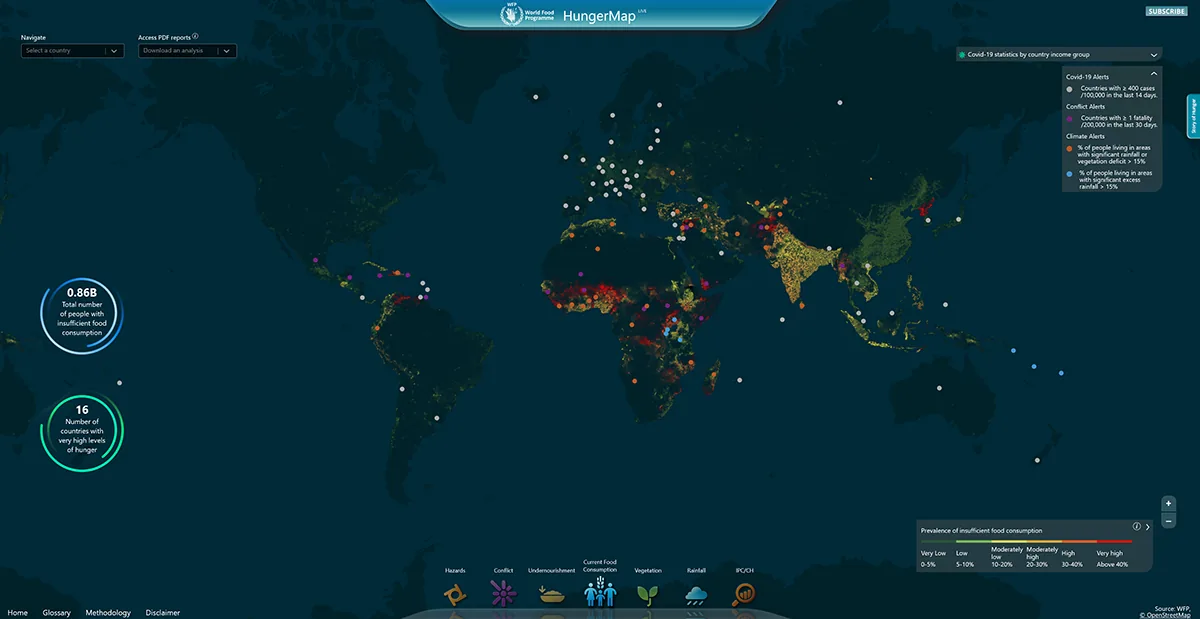
From product strategy to design direction.
Product
Product Manager
Research
UX Research Lead
Design
UX/UI Design Lead
From one dense dashboard to a guided, thematic platform.
One clear headline metric, five thematic areas (food security, nutrition, climate, conflict, economy), and drill-down from global to region level. These are the actual screens: scroll the strip sideways, click any screen to zoom.


Design demonstration. All figures, countries and rankings shown are placeholder data used to illustrate the interface, not real WFP operational data.

Access restricted. The internal dashboard is available to WFP staff only.
Data visualisation, rebuilt widget by widget.
Every indicator became a modular card with one job: rankings, drivers, trends, hotspots. Hover to pause the flow, click any widget to zoom.
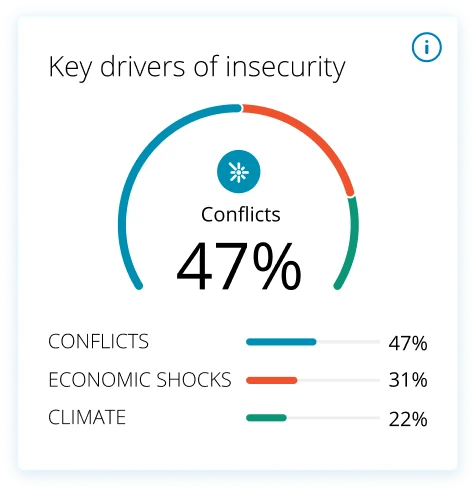
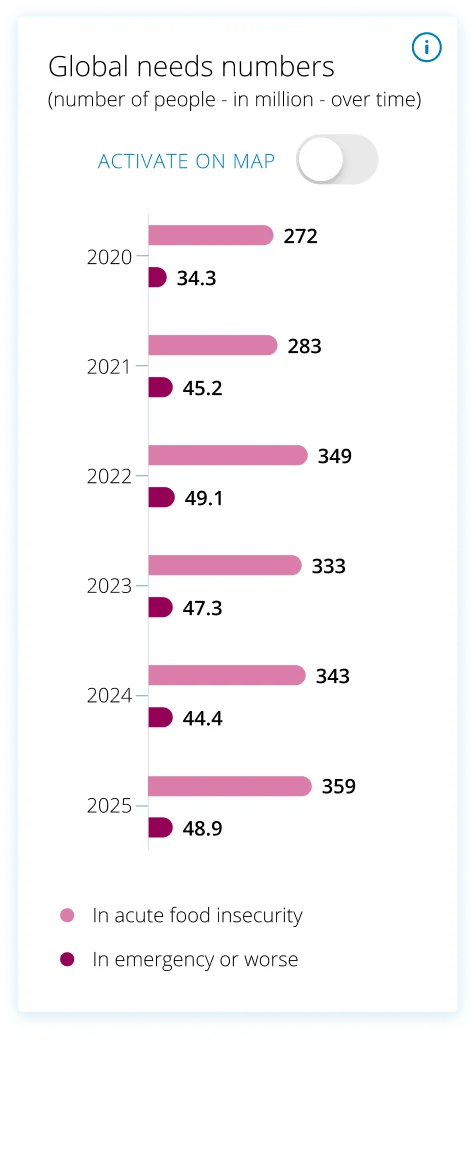
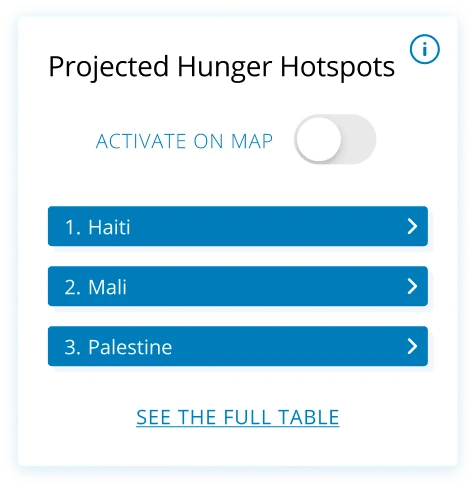
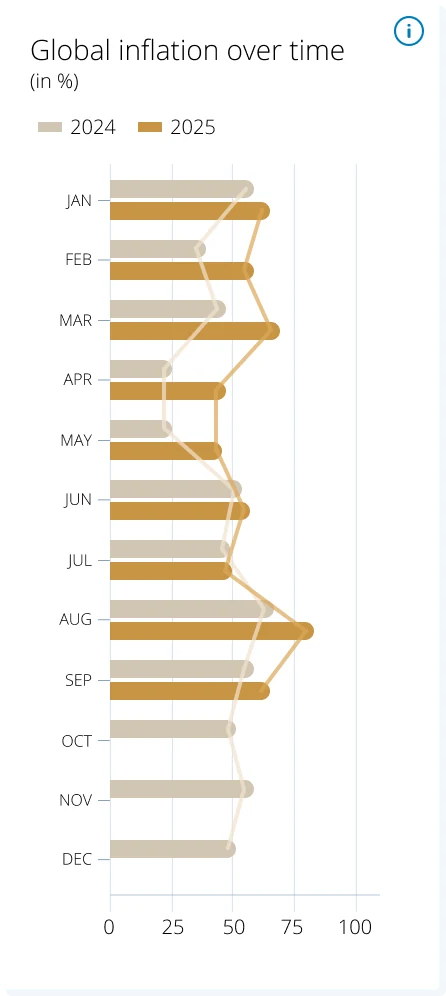
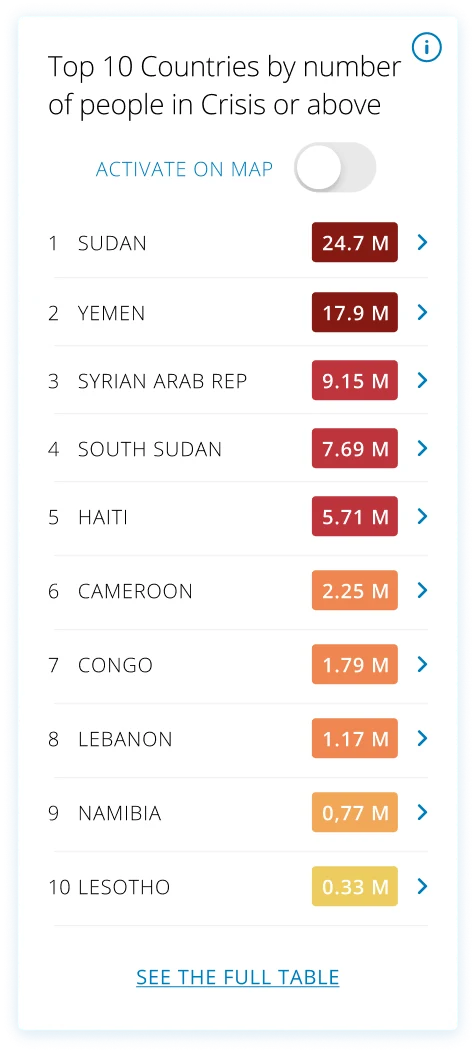
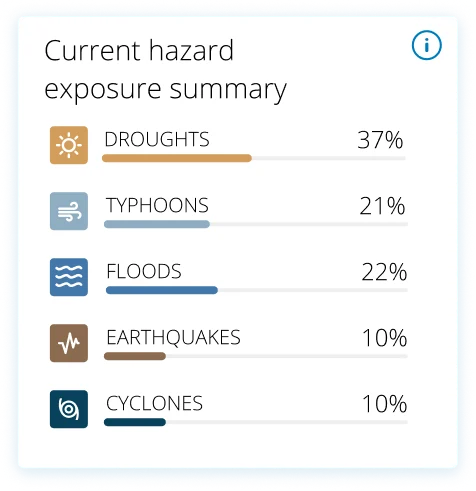
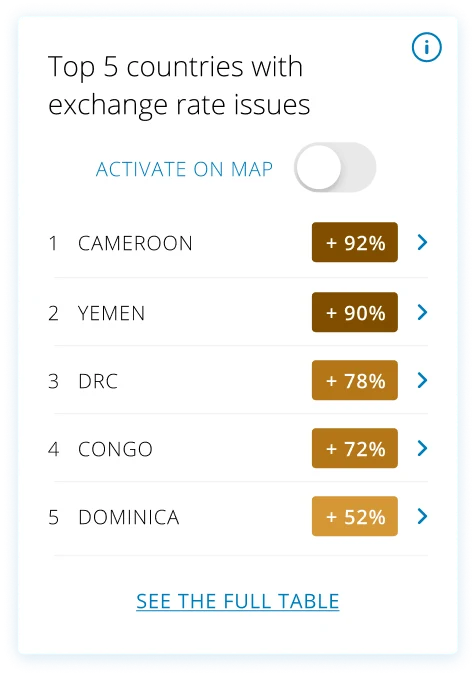
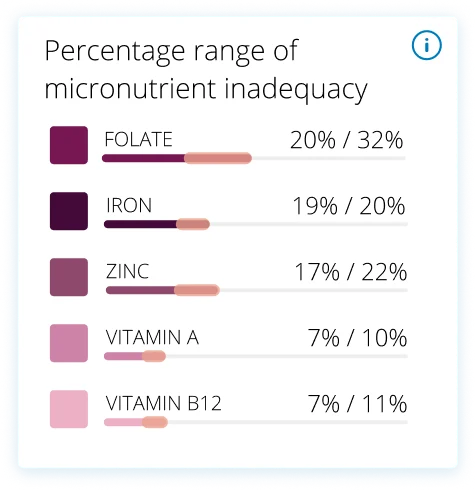
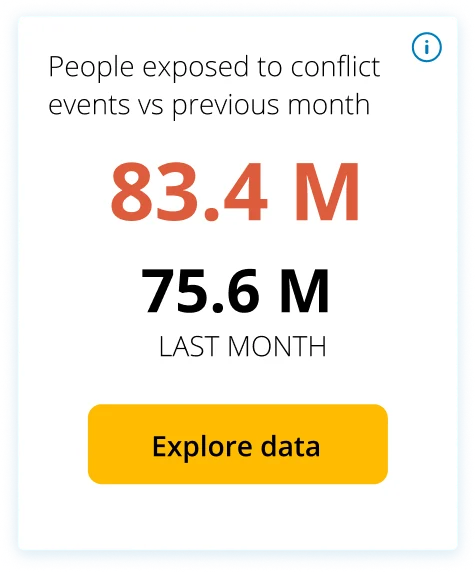
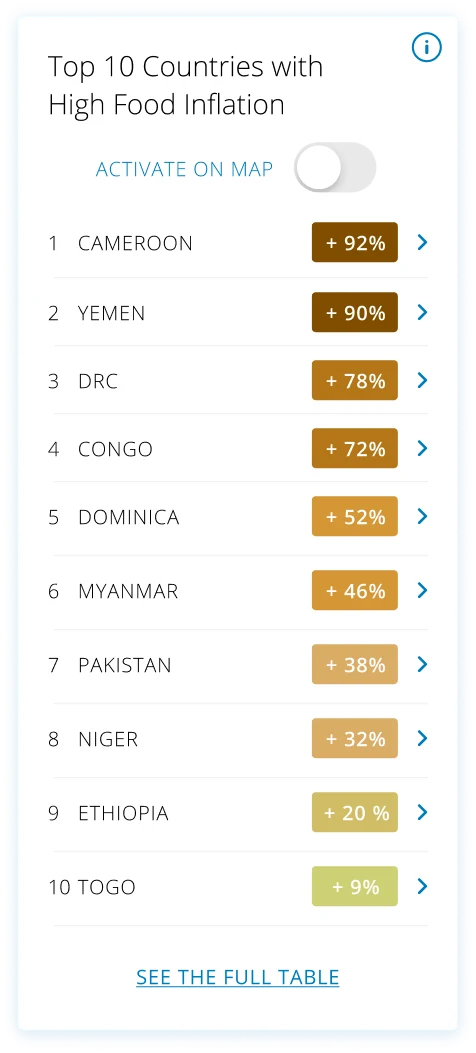
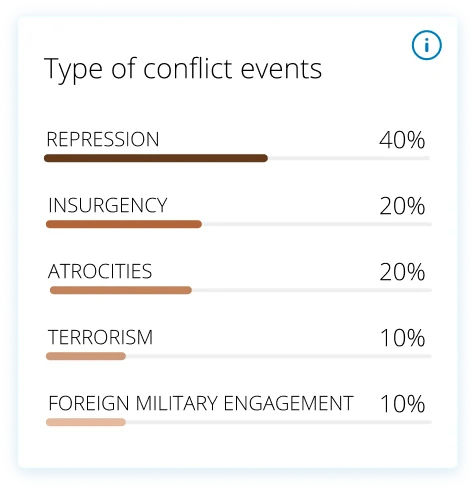
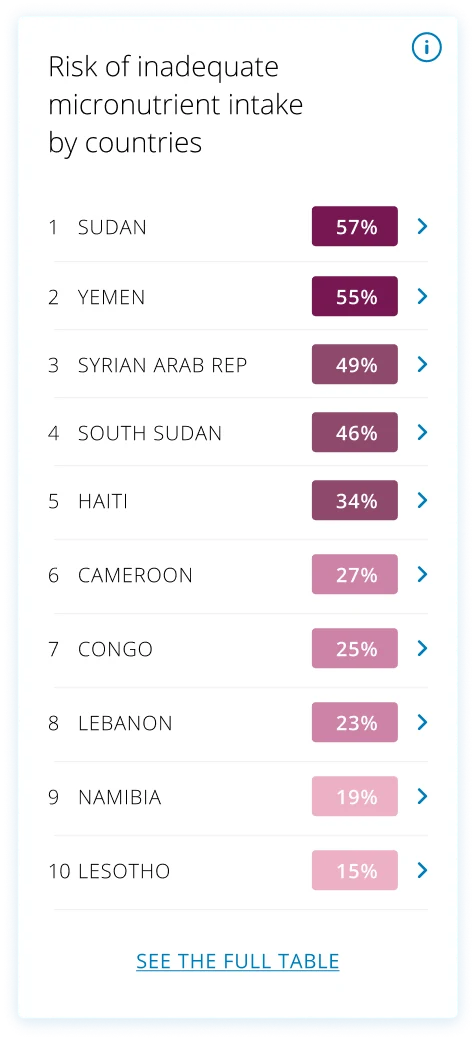
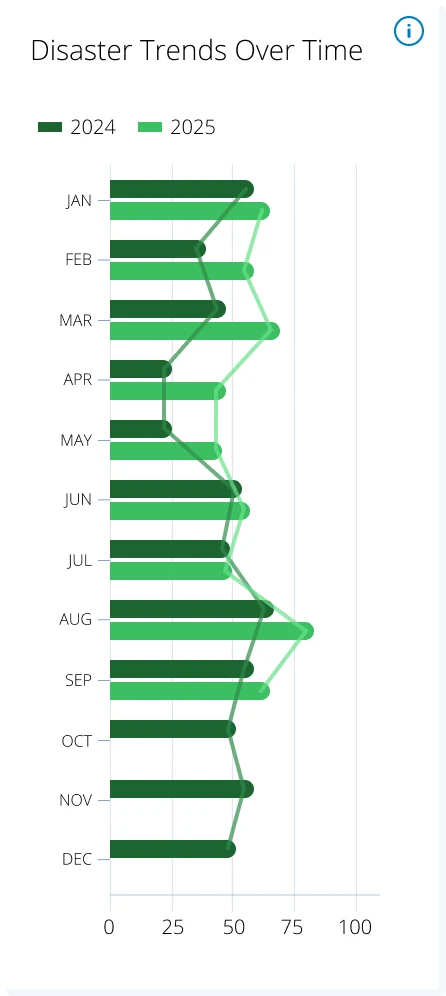
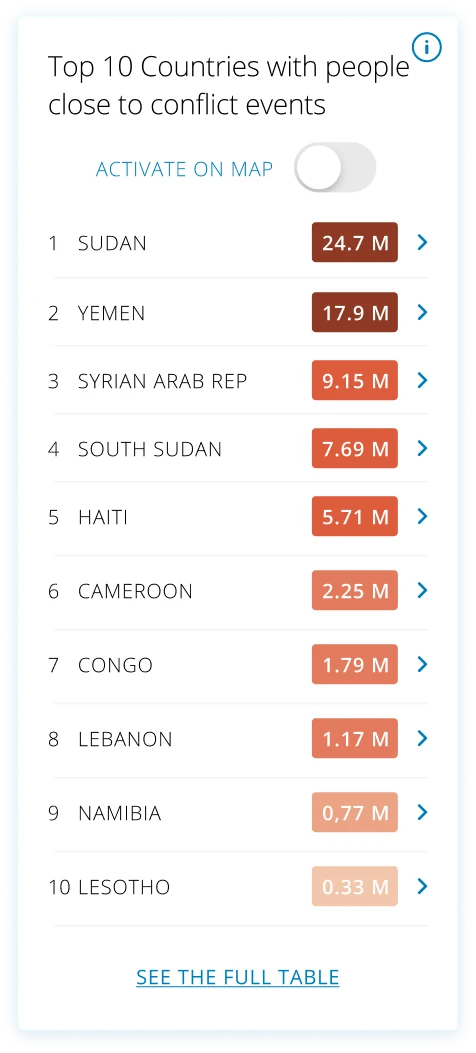
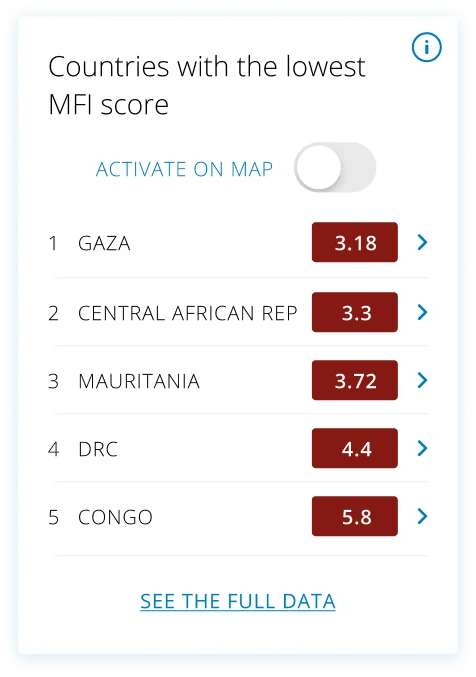
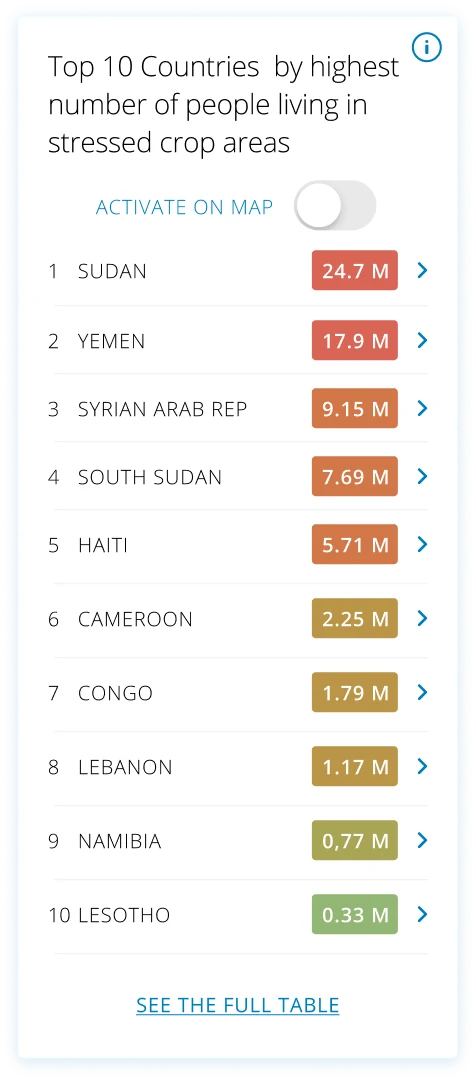
Design demonstration. The values inside these widgets are placeholder data for design purposes only, not real WFP figures.
See the HungerMap this redesign builds on.
The current HungerMap LIVE is public and running today, while 2.0 moves through development.
Open HungerMap LIVE ↗Four things that changed. All intentional.
01
Single → Dual audience
One flat map becomes two UX layers, storytelling for donors and governments, precision tools for VAM Officers and CO colleagues.
02
Reactive → Predictive
Old: current state only. New: 30-day AI forecasting was designed to help WFP anticipate emerging risks and support earlier decision-making.
03
Country-only → Admin L0→L4
From national overview to village-level drill-down. VAM Officers can now plan interventions with district precision instead of regional averages.
04
Static → Live contextual layers
Conflict, rainfall, and market price overlays let VAM Officers understand why FCS is declining, not just that it is, enabling smarter, faster decisions.
From workshops to development hand-off.
Jul – Dec 2024
Workshops & dual-audience architecture
Facilitated workshops with country officers in Yemen, Nigeria, and Cameroon. Defined the dual-audience architecture, confirmed MVP features and Google.org requirements.
Dec 2024 – Jan 2025
UX Research, critical user journeys for both audiences
Mapped the mental models of both audiences: how a donor moves from awareness to action, and how a VAM Officer gets from data to a resource-allocation decision in under two minutes.
Jan – Feb 2025
UI design leadership, Figma production
Led UI production on both versions: visual system across WFP and Google.org requirements, typography, data-viz palette, component library.
Mar 2025
Usability testing, 3 country offices
Structured testing of both platform versions in Nigeria, Yemen, and Cameroon with WFP Heads of Programme, VAM Officers, and Activity Managers.
Aug – Oct 2025
UI & DataViz finalisation, bridge to development
Directed the final interface with a UI & DataViz designer and Google’s design partners: interaction behaviour, data presentation logic, hand-off to front-end.
Usability benchmarks defined for field testing.
85%
Target
Task success rate
≤2'
Target
Time on task
4/5
Target
Satisfaction score
<10%
Target
Error rate
80%
Target
Adoption likelihood
Nigeria
Borno State, lean season planning
5–7 participants · Heads of Programme + VAM
Yemen
Flood impact analysis
5–7 participants · Activity Managers + VAM
Cameroon
Ground-truthing data alignment
5–7 participants · Program Officers + NGO
What testing confirmed
Field testing surfaced a clear pattern: every country office needs a different mix of data for its own assistance programmes. That validated the customizable, toggleable dashboard, country teams found it necessary and valued being able to shape their own view rather than fight a one-size-fits-all screen.
A hunger map built to prevent, not just report.
Global
public access for donors,
governments & media
30-day
AI forecasting with Google.org,
for earlier action
Custom
dashboards each country
office can shape
Zero
empty widgets, core data
always populated
A short testimonial from the people behind this project will appear here.
Full name
HungerMap team · WFP HQ
People Portal,
a form everyone can use.
UI and UX for WFP’s People Portal: people in crisis self-register for assistance from their own phone, at every level of digital literacy. Plus the internal portal colleagues use to build their country forms.
2M+
people registered
remotely
$9.4M
operational costs
saved
96%
cost cut per household
$12 → $0.50
3
active crises
deployed
The challenge
Registering people in person does not scale in an emergency, and cloned look-alike pages were putting people already at risk in more danger.
My role
Digital & Service Design Lead for WFP, designing both sides of the form: the people-facing portal and the internal builder colleagues use to compose it.
The approach
Rebuild a long, high-stakes form around choices instead of typing: four ways to prove identity, honest “I don’t have this” paths, a 6-digit PIN in place of passwords.
The outcome
2M+ people registered remotely across Gaza, Ukraine and Sudan, at $0.50 per household instead of $12, and $9.4M of operational cost saved to date.
Register the hardest-to-reach, from a phone.
Registering people in person is slow, costly and often impossible in an emergency, and cloned pages put vulnerable people at risk. The portal had to work remotely, on a weak connection, for someone filling a form for the first time.
Three constraints shaped every decision
01 · Access
In-person didn't scale
Queues, staff and offices can't keep pace with the speed and size of a crisis. People needed to register from their own phone, wherever they were.
02 · Trust & safety
Cloned pages, real risk
Fraudulent look-alike pages exploited people in need. The real portal had to be unmistakably WFP, secure and duplicate-proof.
03 · Everyone
Every level of digital literacy
The same form had to be usable by someone confident online and by someone who had never filled one, on any device, in their own language.
We could not test with the people who would use it.
Sessions with people in crisis were not possible. The research came from the two places that were: the colleagues who had already run the first version in the field, and the evidence on how people with little digital experience actually deal with a form.
01 · Field feedback
The people who had already shipped it
Colleagues who implemented the Self Registration App in country were the closest proxy available: what they watched fail at distribution points set the priorities for the form.
02 · Desk research
Low digital literacy meets a long form
I researched how people with little digital experience behave with forms and dropdown selectors: where they stall, what they misread, what makes them abandon.
03 · The honest limit
Second-hand evidence, named as such
Without sessions with the people registering, the evidence is indirect. The field colleagues were the check: every decision went back to those who had watched the first version in use.
One form, for every level of digital literacy.
Registration is one long, high-stakes form: name, household, roles, location, identity, bank details. I rebuilt it around choices instead of typing, honest “I don’t have this” paths and constant guidance, so nothing about a person’s situation locks them out.
Identity, your way
Four ways to identify yourself
National ID, passport, driving licence or UNHCR ID, so displaced and undocumented people are never turned away.
Tap, don't type
Family roles as buttons
Household roles and status are tappable options, not free text, removing spelling, language and keyboard barriers.
No wrong answer
"I don't have a phone / email / bank account"
Explicit paths for people with no phone, email or bank account, plus a simple 6-digit PIN instead of passwords.
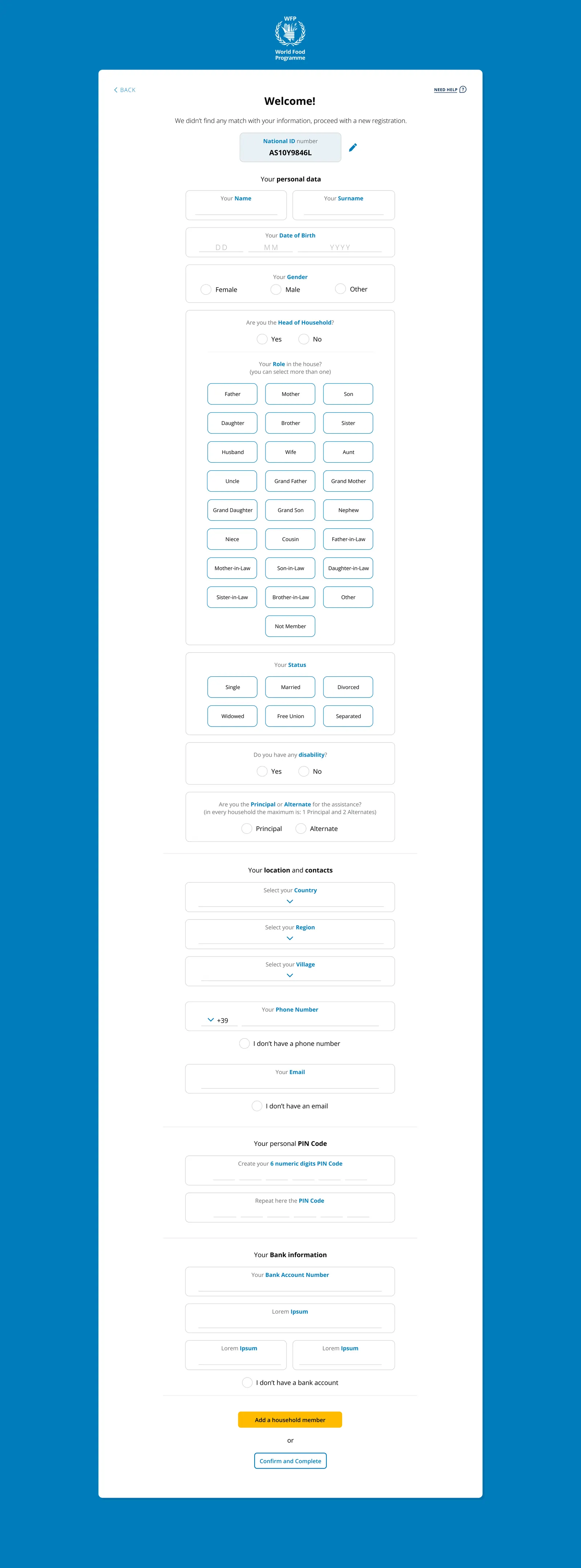
The full registration form, scroll inside the frame, or click to open it full-screen. All data shown is placeholder.
From welcome to registered, in a guided flow.
A calm, step-by-step journey: a clear welcome, choose how to identify yourself, a simple PIN instead of passwords, a household recap to check, and a reassuring confirmation. Scroll the strip, click any screen to zoom.
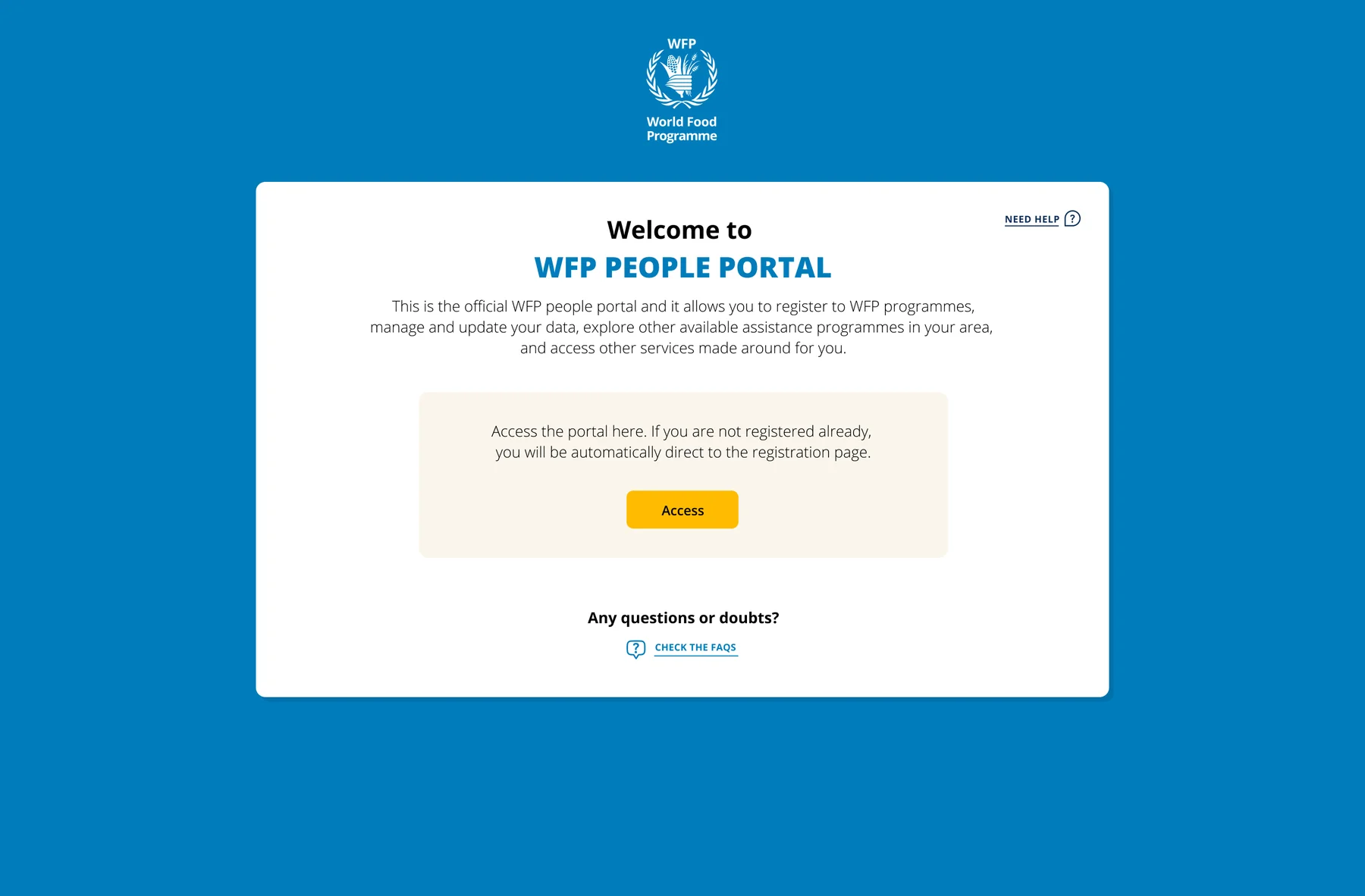
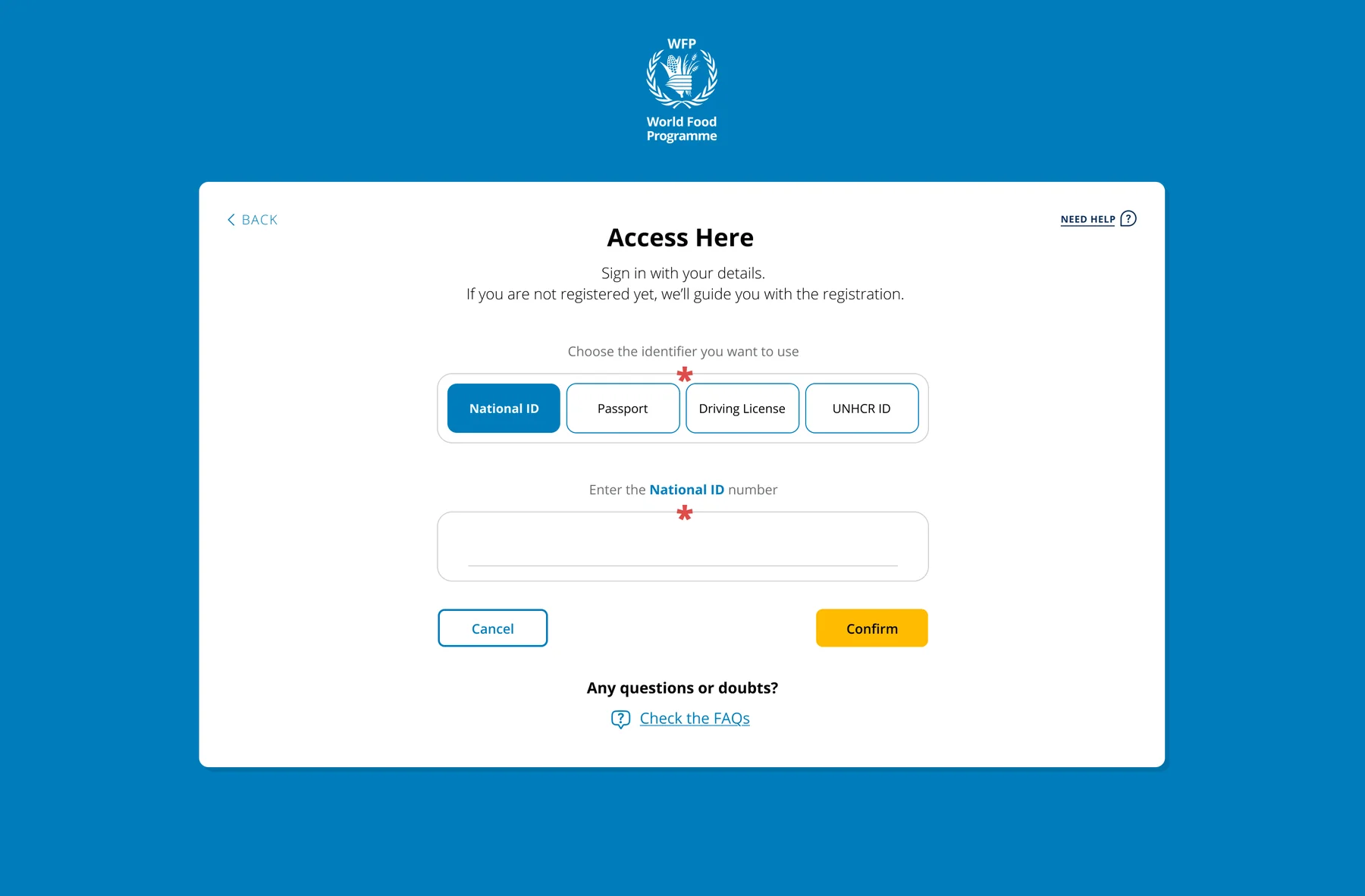
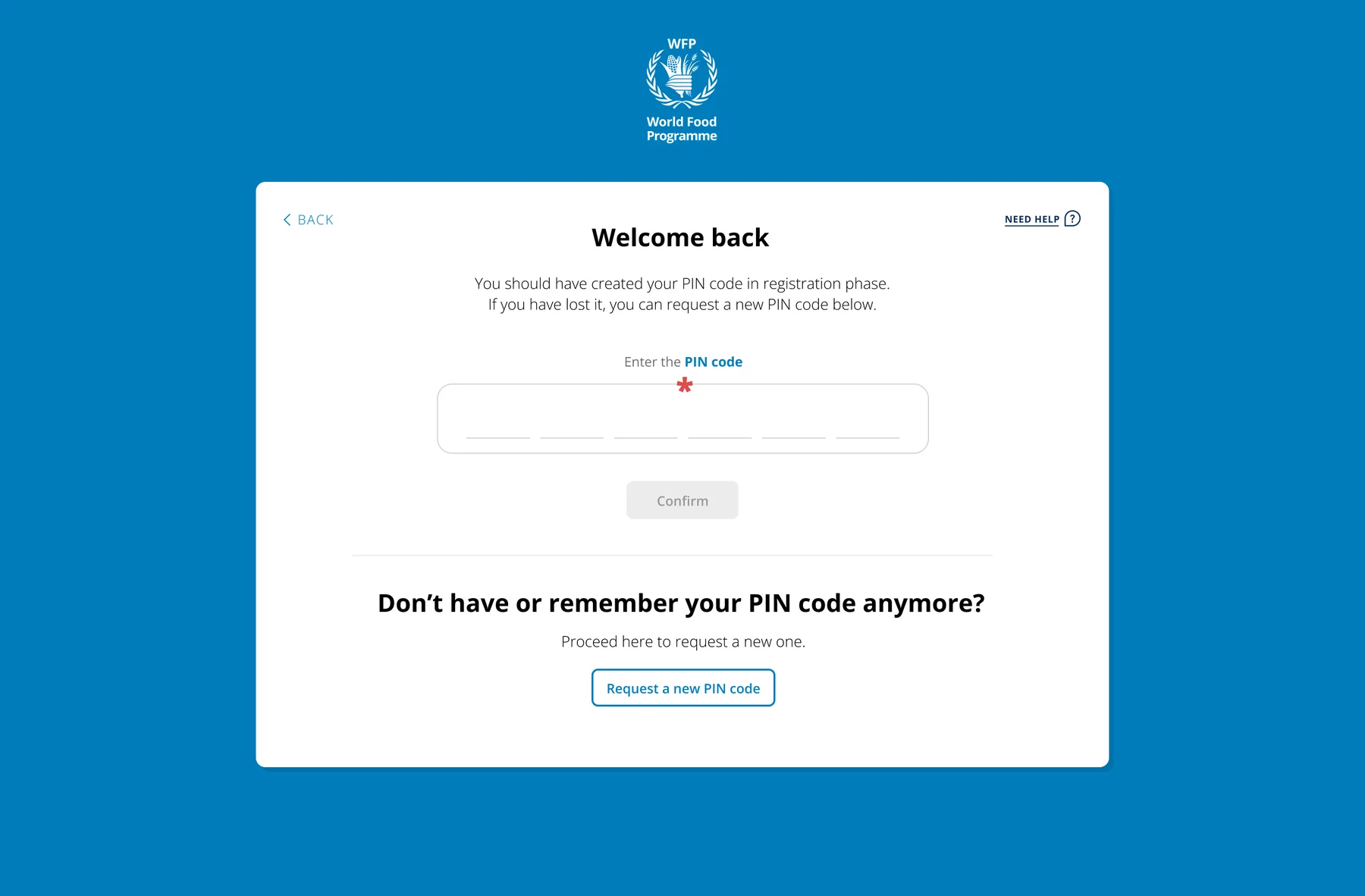
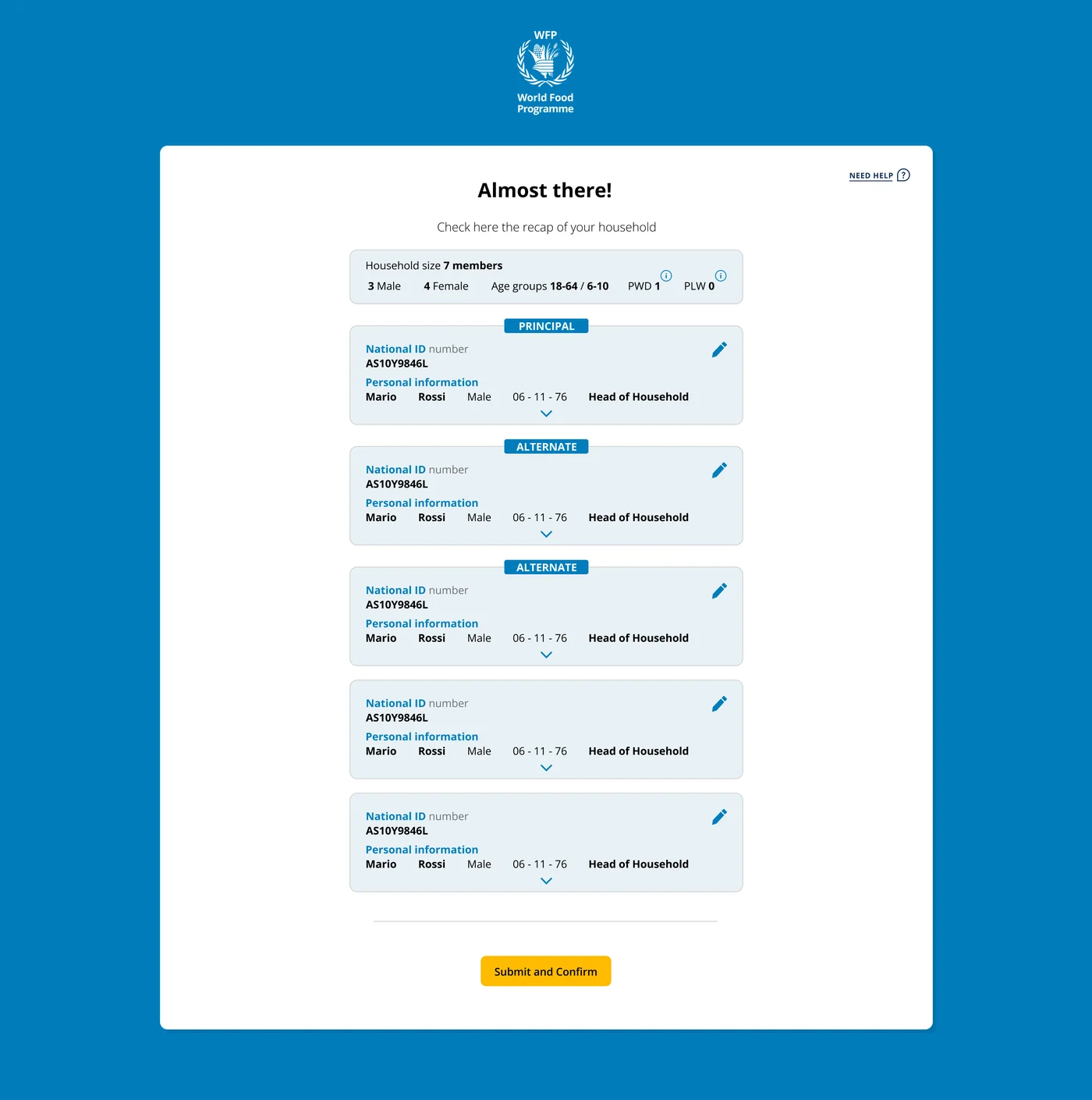
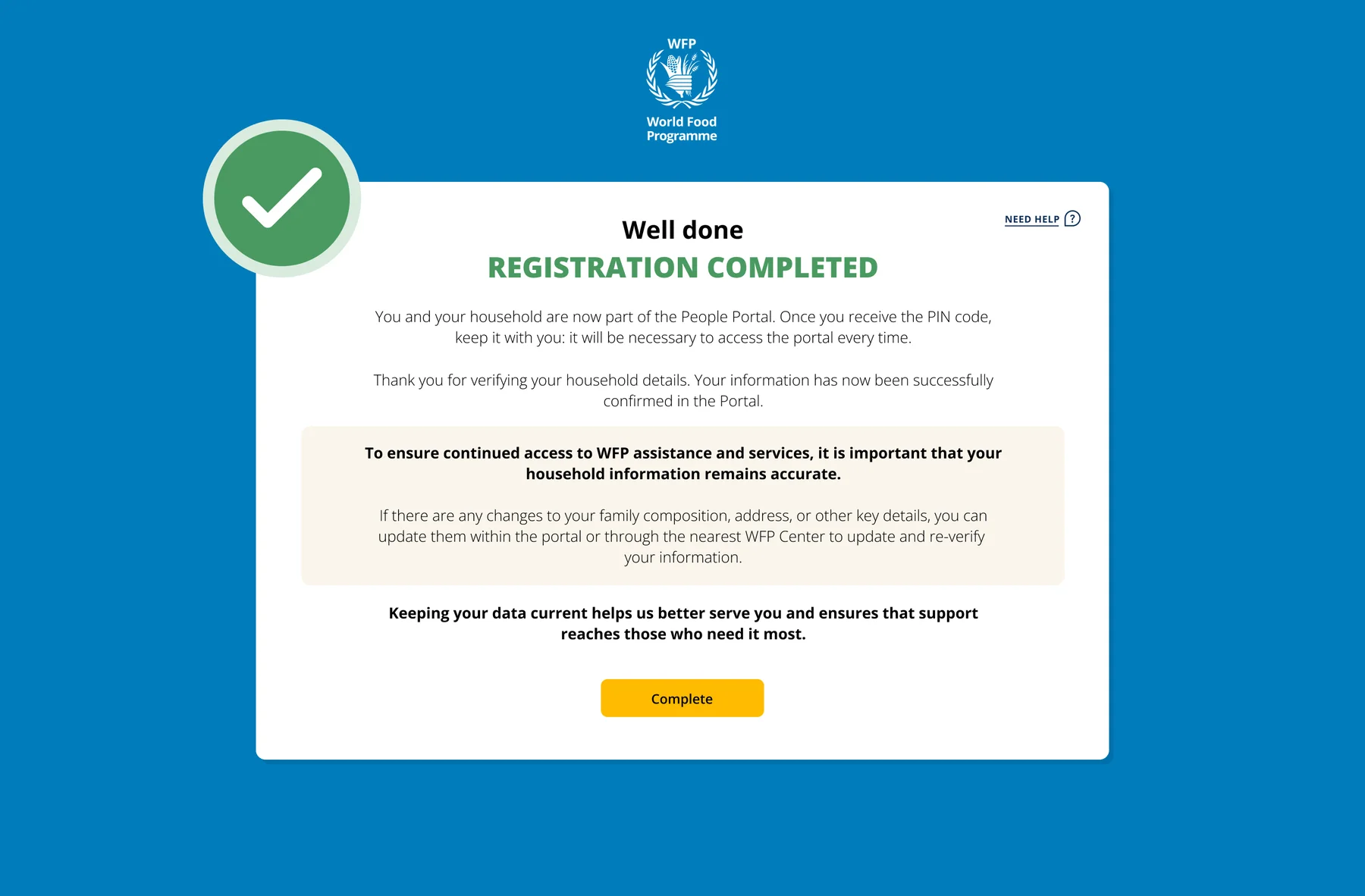
Design demonstration. All names, IDs and figures shown are placeholder data, not real people.
Built for the phone in someone's hand.
Most people register on a phone, often a shared or basic one, so every screen is mobile-first, and before anything is collected people give explicit, plain-language consent over how their data is used.
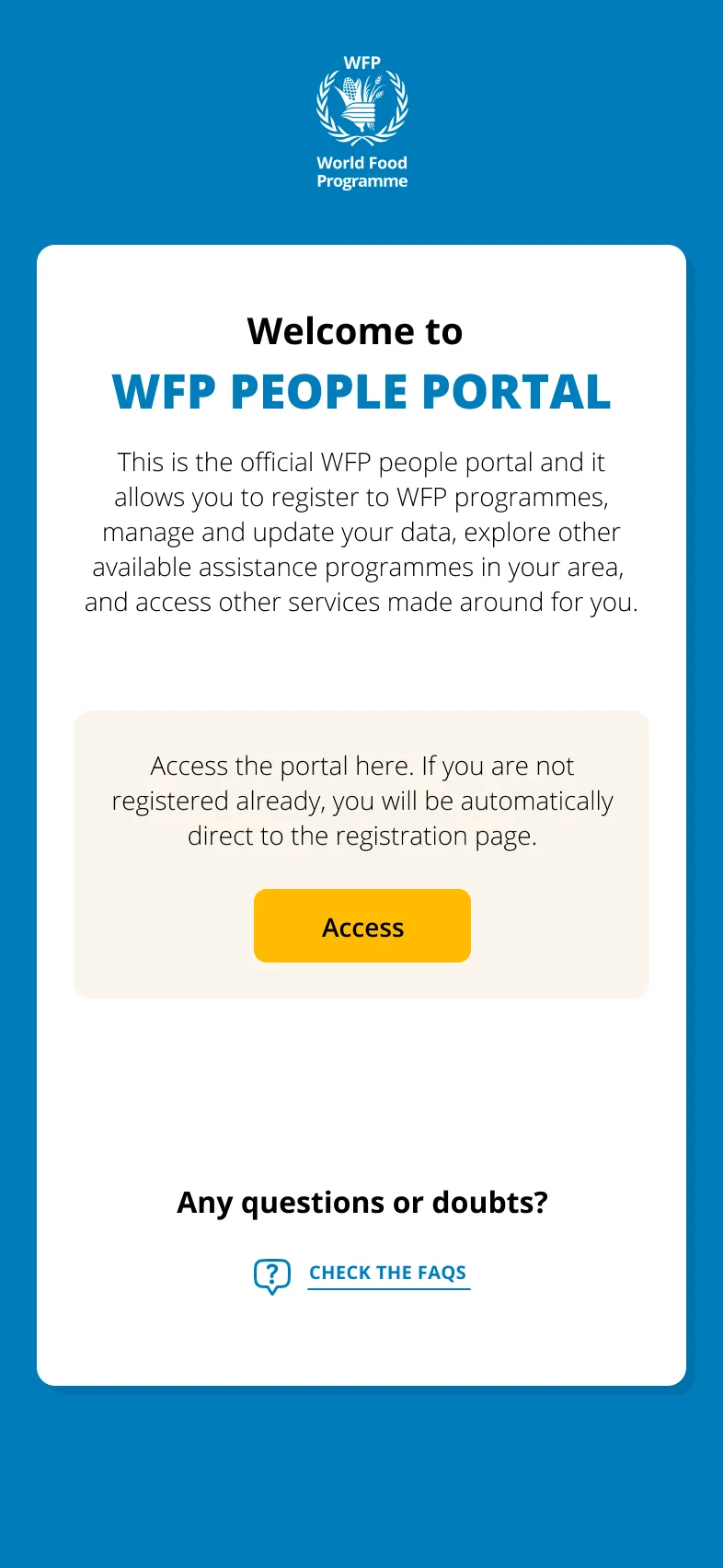
Mobile welcome
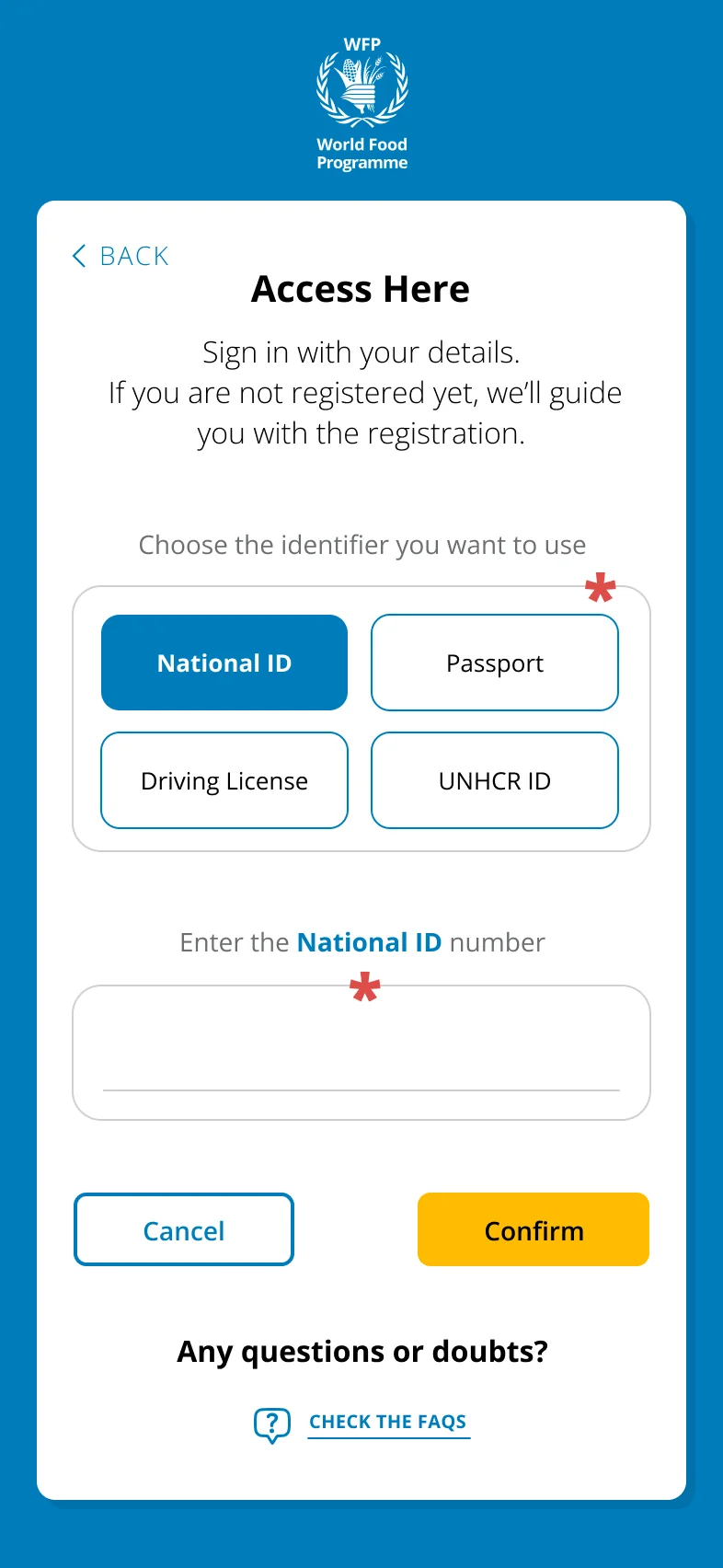
Identify yourself
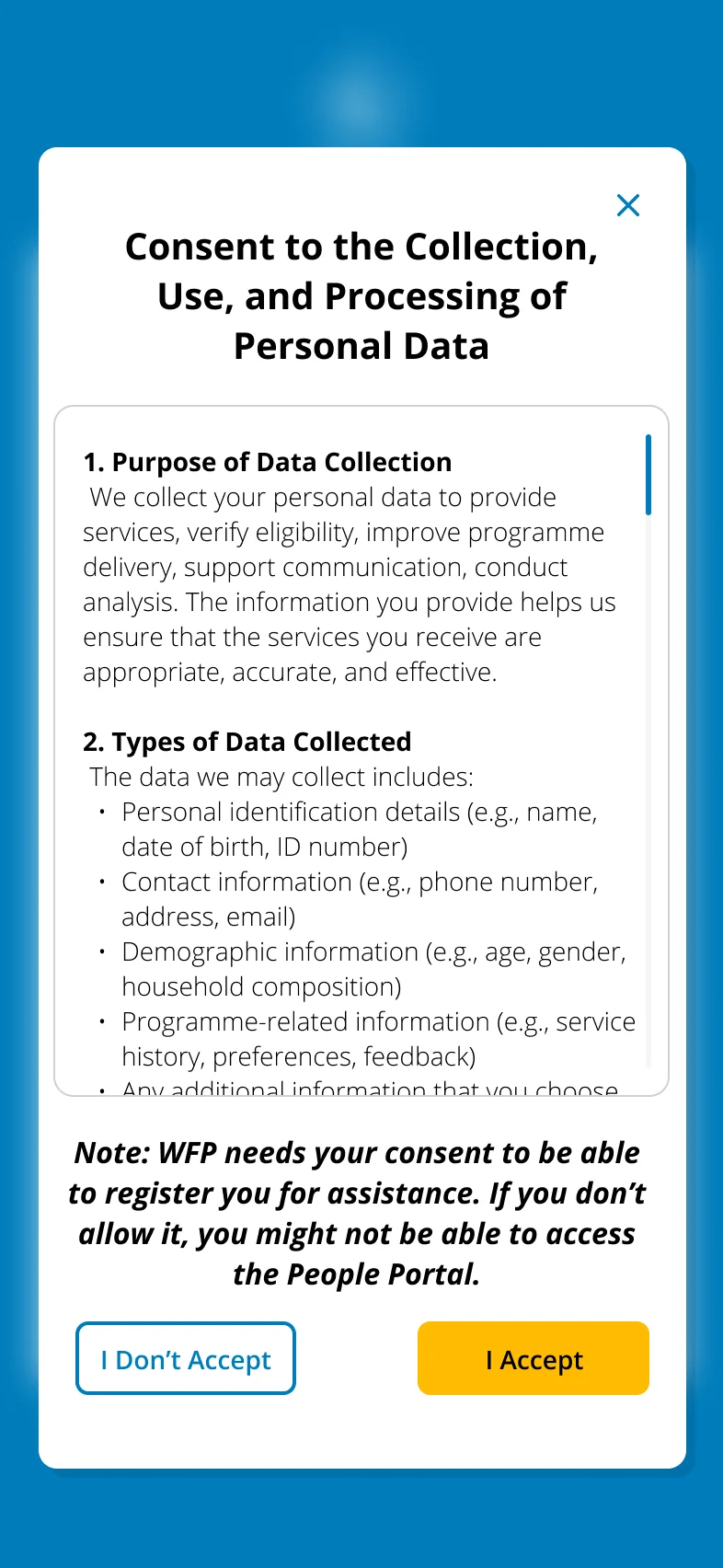
Explicit data consent
Born in an emergency, in Gaza.
It began as the Self Registration App, built fast for the emergency in Gaza: families registered on the spot, often by scanning a QR code. It later became the People Portal, where people keep location, payment details and household up to date.
English
Arabic
Field guidance for the Self Registration App, how to update your location when displaced. Shared on WFP's channels, shown muted and looping.
I designed both sides of the form.
A form is only as good as the tool that builds it. I also designed the internal portal where WFP and partner NGO staff build their own country forms: a new emergency gets one fast, and every form stays consistent.
For people
The People Portal
The public, mobile-first experience where people in need register and manage their household.
For colleagues
The form-builder portal
The internal tool where WFP and NGO teams compose and adapt their country's registration forms.
One language
Consistency end to end
Shared components and rules keep both sides coherent, fewer errors, faster setup in a new country.
Confidential. The internal admin interface and the People Portal's registered-user area can't be shown here.
Registration that reaches millions, for cents.
2M+
people registered
remotely
$9.4M
operational costs
saved to date
$0.50
per household,
down from $12
$115M
potential yearly
saving at scale
A short testimonial from the people behind this project will appear here.
Full name
Supply Chain, Identity Management · WFP
Designing for dignity
in crisis.
User journey maps for WFP's Cash-Based Transfer programmes, field research across 5 countries in active crisis, designing for people who are illiterate, elderly, undocumented, or fleeing conflict.
5
countries in
active crisis
6
lived experiences
mapped
1
strategic
framework
Millions
of beneficiaries served
by the programmes
The challenge
WFP’s cash programmes reach millions, but the experience of receiving that assistance was invisible, and it had to hold for people who are illiterate, undocumented or under fire.
My role
Digital & Service Design Lead for WFP, running the field research and the journey mapping across five countries in active crisis.
The approach
Map six lived experiences end to end, in the words of the people living them, then distil what they have in common into six rules for designing in extreme contexts.
The outcome
A Pathway to Digital Financial Inclusion framework adopted by WFP’s CBT teams, and emergency guidance for reaching people who arrive without documents.
Designing when access, trust and safety cannot be taken for granted.
WFP's Cash-Based Transfer programmes reach millions of people, but the experience of receiving that assistance was invisible. I mapped it, in five countries, through the eyes of the people living it. The constraint: every design decision had to work for users who may be illiterate, without a smartphone, without documents, or in an active conflict zone.
Saima, 37
Gaza
3rd displacement. Has a phone and passport. Navigating cash assistance during active conflict.
Fawziye, 76
Lebanon
Cannot read or write. Depends on family. Mobility issues. $65/month is her only income.
Rasha, 35
Lebanon
Literate, helps neighbours register. Anxious about SMS timing. Helps others navigate the system.
Hana
Jordan
Mother of 4 in a community project. New to mobile money, worried about fees and using a wallet.
Aamiina
Somalia
No smartphone of her own. Uses husband's phone. Registered in husband's name by mistake.
Drina
Ukraine
Roma community. No official ID. Denied help 3 times before WFP found a solution without ID.
Note: composite research personas. Names and details are illustrative, synthesised from field interviews across five countries rather than drawn from identifiable individuals.
Their experience, told in their words.
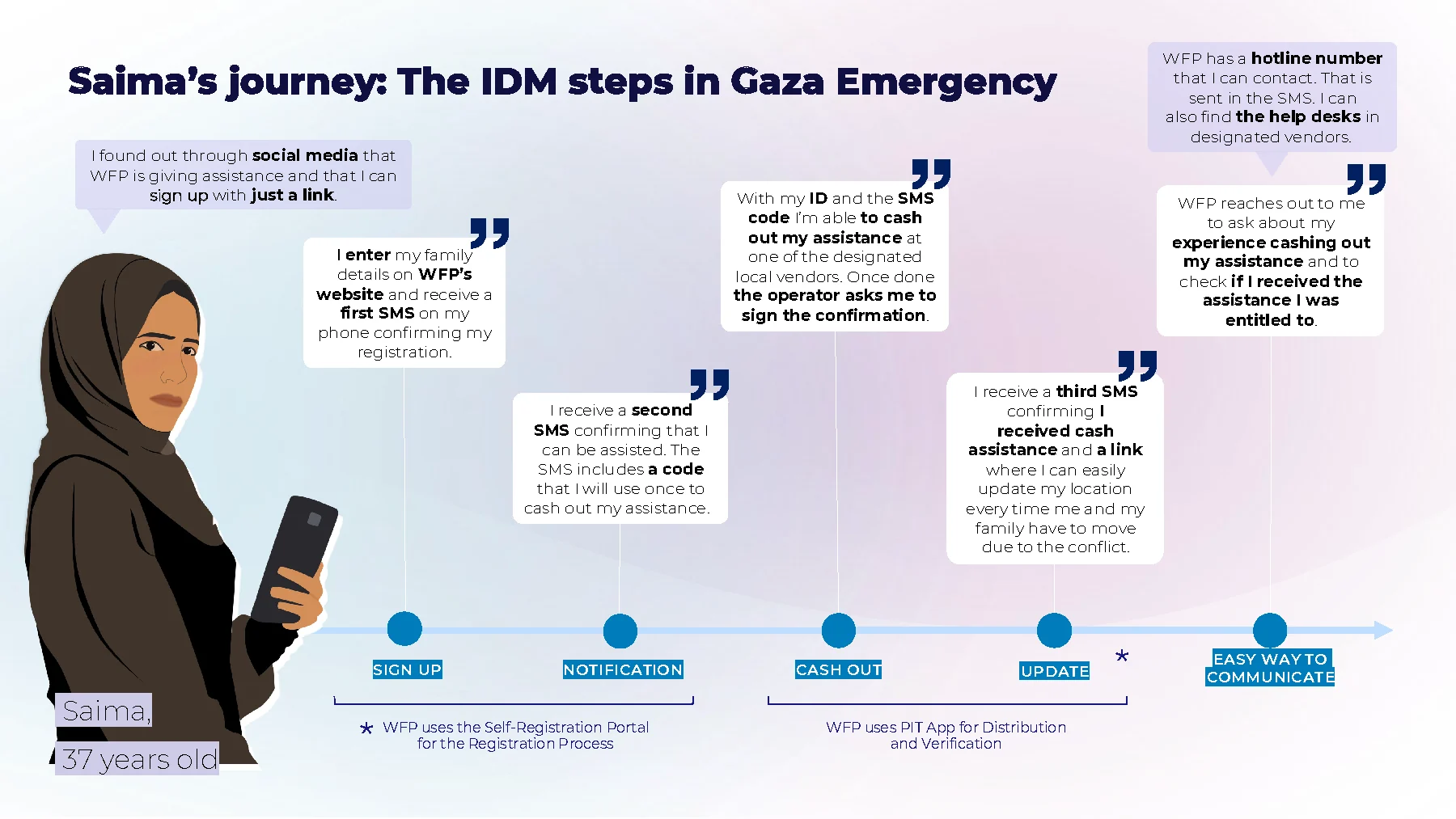
Saima, 37, Gaza
IDM steps · Emergency CBT programme
"I found out through social media that WFP is giving assistance and I can sign up with just a link."
From a shared phone in Somalia
to a wallet of her own in Jordan.
The same research method, applied in two very different mobile money contexts. Each journey surfaced findings that shaped how WFP designs digital payments for women.


Drina's story, from Kramatorsk
to a voucher that worked.

Six rules for designing
in extreme contexts.
1
Design for the margin
If it works for someone who cannot read, walk far or own a phone, it works for everyone. Design for the hardest case first.
2
Communicate proactively
Waiting without news erodes trust faster than bad news. Confirm every step, even when nothing has changed.
3
No ID ≠ No cash
People fleeing rarely carry documents. Every service needs a pathway that works without official identification.
4
Proxy access matters
Phones, literacy and mobility are often shared family resources. Design for use through someone the person trusts.
5
Dignity in disbursement
How money is handed over matters as much as how much. Privacy at the cash point is not a luxury.
6
Offline-first always
Connectivity, devices and electricity come and go. The service must keep its promise when the network does not.
Designing for programmes that reach millions.
5
countries in
active crisis
6
lived experiences
from the field
Global
framework adopted
by WFP CBT teams
Real
every insight
from field interviews
A short testimonial from the people behind this project will appear here.
Full name
Cash-Based Transfers division · WFP
CashBook App, one-stop-shop
for cash operations.
Concept and UX design of a WebApp for WFP field officers: knowledge management and collaborative project management in one tool, online and offline.
2
core modules
knowledge + PM
3
user types
designed for
offline
designed for low
connectivity
audit
built-in compliance
trail
The challenge
Field officers running cash distributions worked across scattered documents, emails and SharePoint folders, usually in low or no connectivity.
My role
Digital & Service Design Lead for WFP: concept and UX for an internal web app, from focus groups in the country offices to prototype in three months.
The approach
Offline-first, two flows in one app, read-only knowledge and collaborative project management, with audit outputs ticked off as the work happens rather than chased afterwards.
The outcome
The manual in a pocket: four distribution phases where every step names who is accountable, who is responsible and what has to come out of it.
Field officers managing cash distributions had no single, reliable tool.
WFP cash operations require managing complex knowledge (processes, guidelines, responsibilities) and collaborative project tracking simultaneously. Officers worked across scattered documents, emails, and SharePoint folders, often in low-connectivity environments. The CashBook concept was designed to bring everything into one place.
Knowledge management
All process steps, responsibilities, and guidelines in one searchable place. Designed to work offline for field use.
Project management
Create collaborative programmes, assign team members, track outputs step by step with checklist workspaces.
Built-in audit trail
Mandatory outputs for programme audit, designed to be automatically collected and stored in a private SharePoint folder per programme.
The idea came from the country offices, not from a brief.
Focus groups and interviews with colleagues in almost every country office running cash distributions. Three things came back from them, and between them they defined the product.
01 · The need
Named by the people doing the work
Not a need inferred from a brief. Field officers described what a distribution actually costs them, step by step, in their own offices.
02 · The as-is
What was wrong with the material they had
The documents in use were scattered across formats and impossible to consult in the field. The interviews mapped exactly where they broke down.
03 · The hope
The same ask, office after office
Something more digital that would shorten and speed up the distribution process. It came back from nearly every country office we spoke to.
Three decisions that defined the product.
Offline-first architecture
Field officers work in low or no connectivity. The knowledge flow works fully offline on mobile and syncs when reconnected: the constraint that shaped the whole architecture.
Two flows, one app
Knowledge management is read-only and offline, project management is collaborative and online: two interaction models that had to feel like one tool, across three user types and their permissions.
Audit compliance as UX
Every programme has mandatory audit outputs. Rather than a separate chore, officers tick them off as they work, and a private SharePoint folder is generated with all required documents.
One app, three very different users.
All users
Any WFP staff member
Manager
Programme Lead / Country Officer
How the idea was pitched.


The manual, in a pocket.
Ten screens from the live app. The four phases of a cash distribution — Engage & Understand, Design & Plan, Assist & Assure, Review & Renew — each one a colour, each step opening on who is accountable, who is responsible and what has to come out of it. Search runs across the whole manual, and every page carries a way to ask a human.
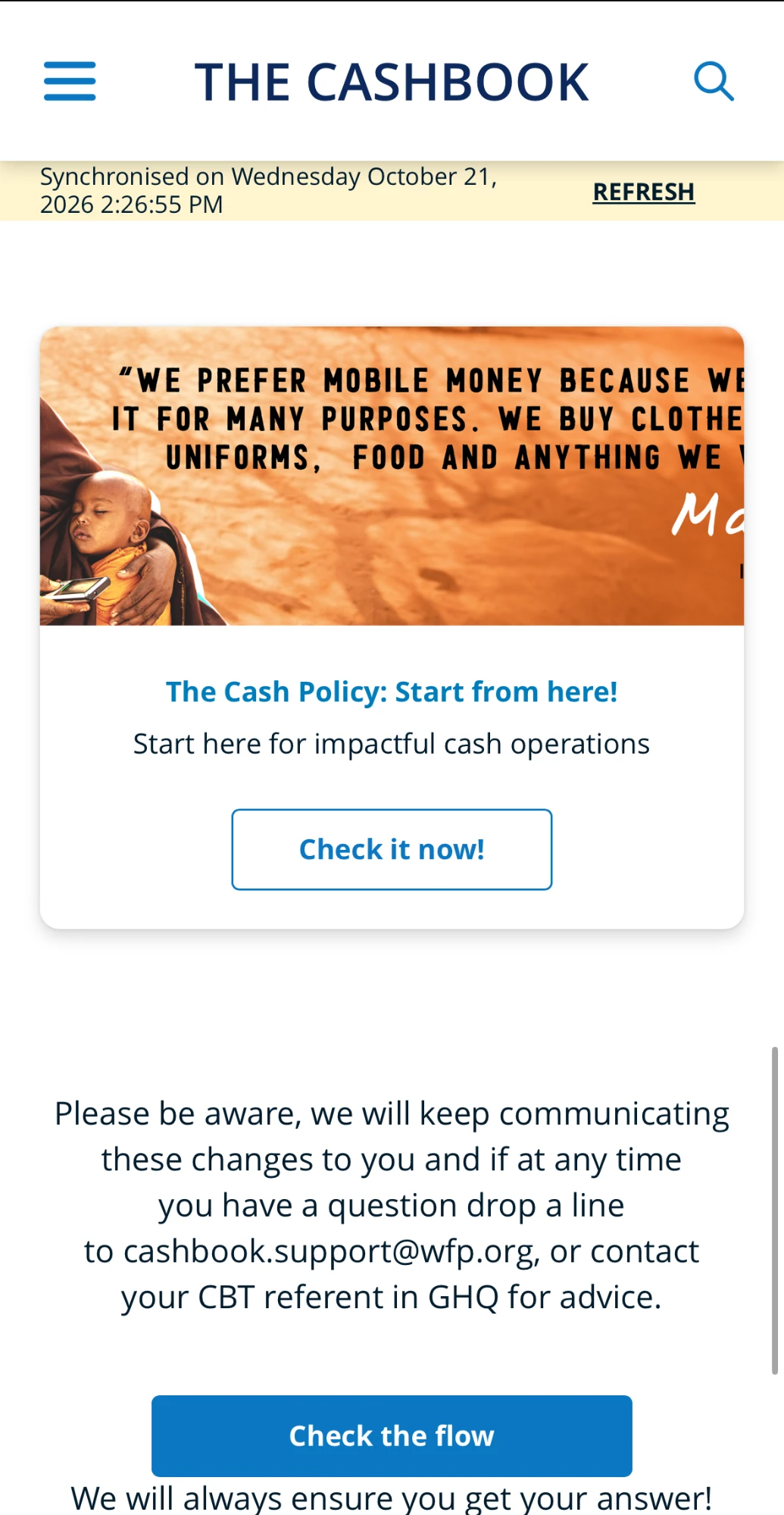
Home · works offline, says when it last synced
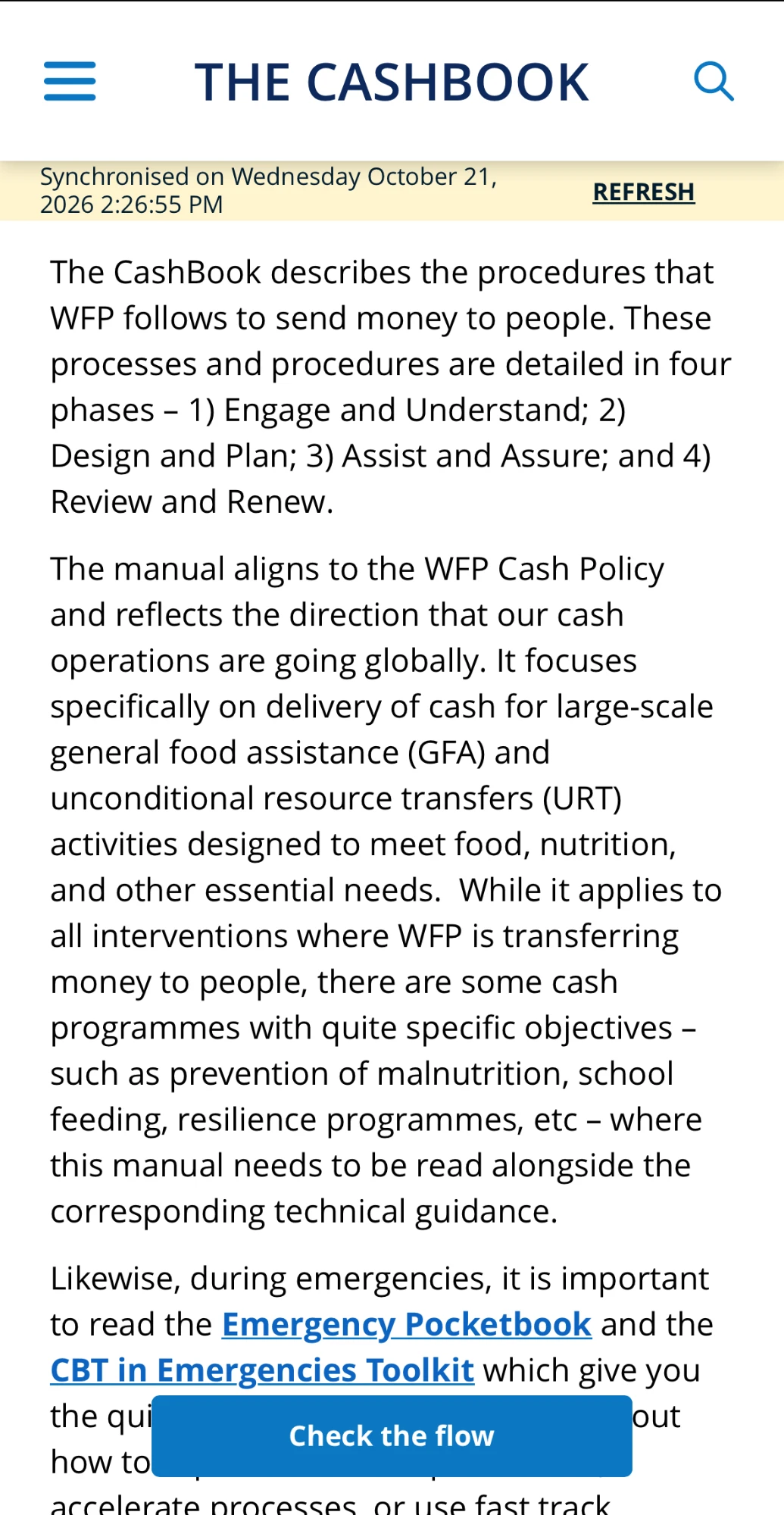
What the CashBook is
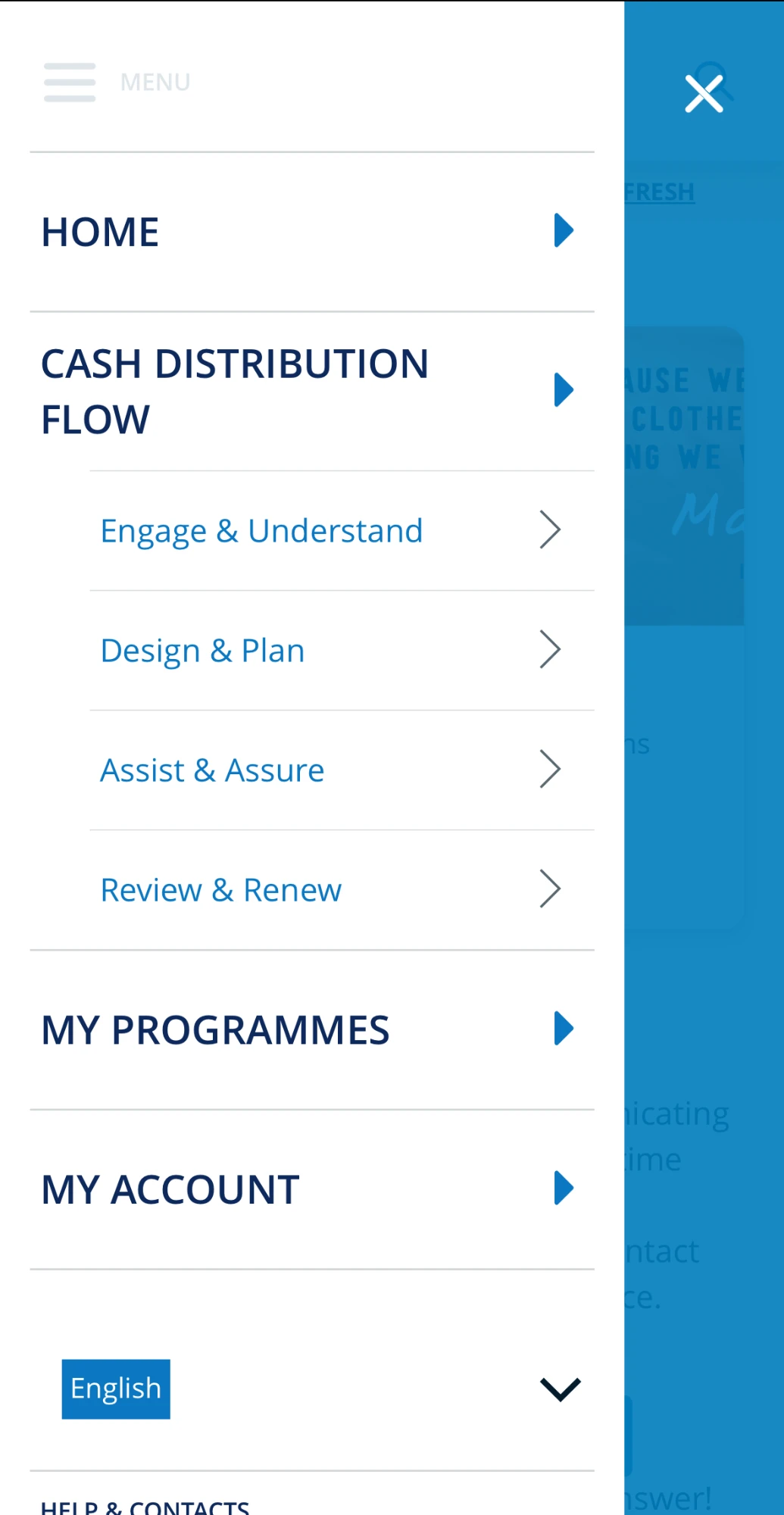
Menu · the four phases, always one tap away
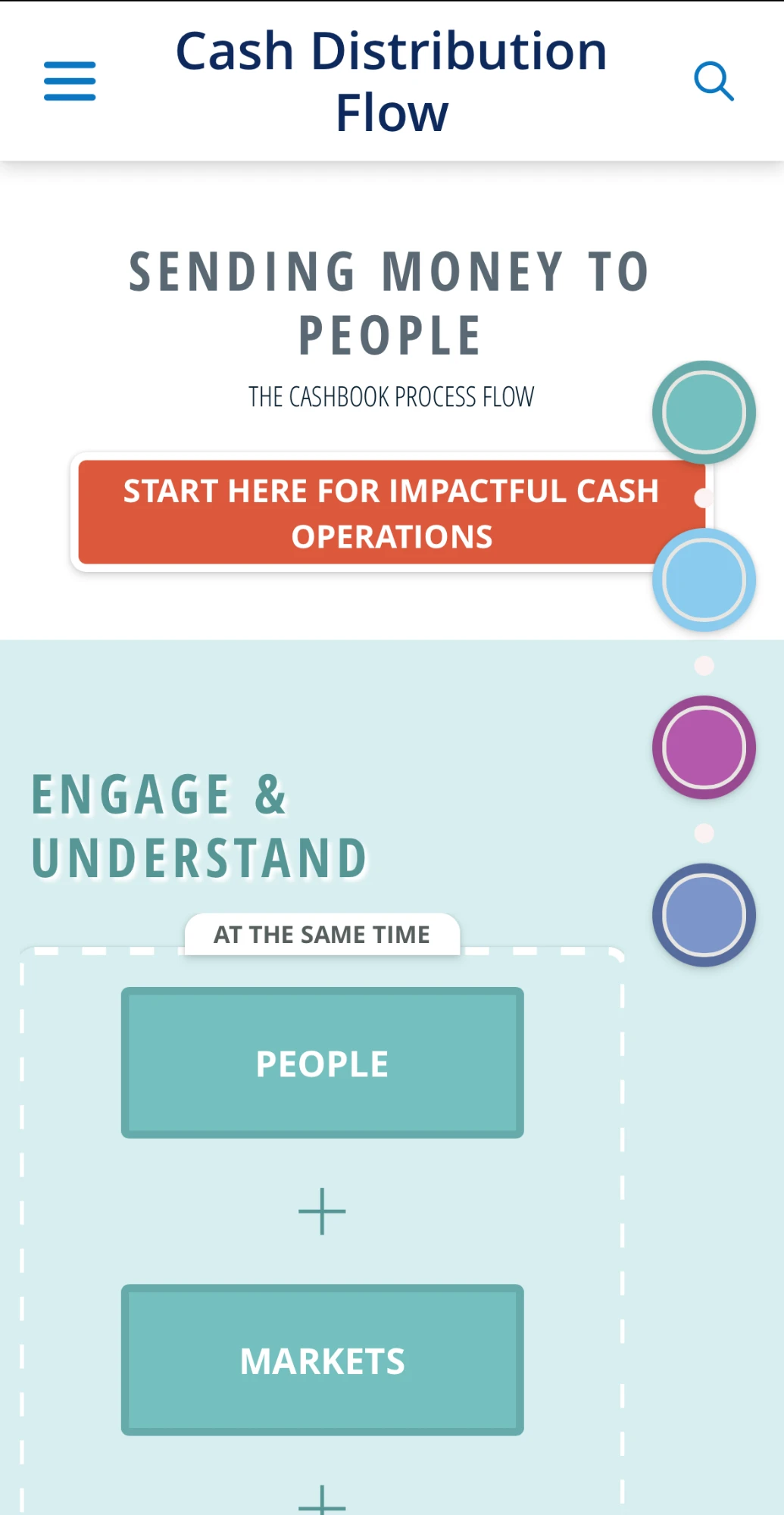
01 · Engage & Understand
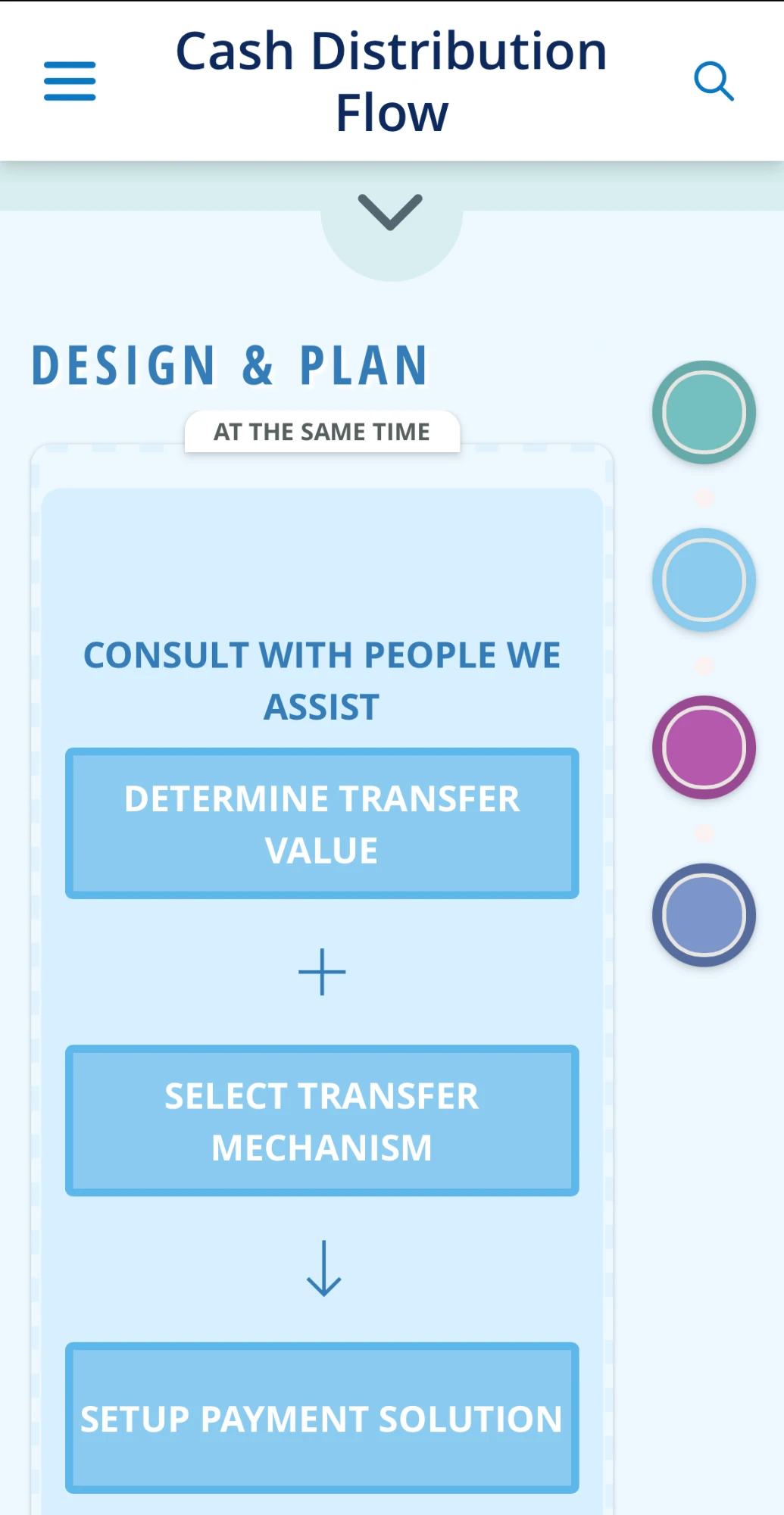
02 · Design & Plan
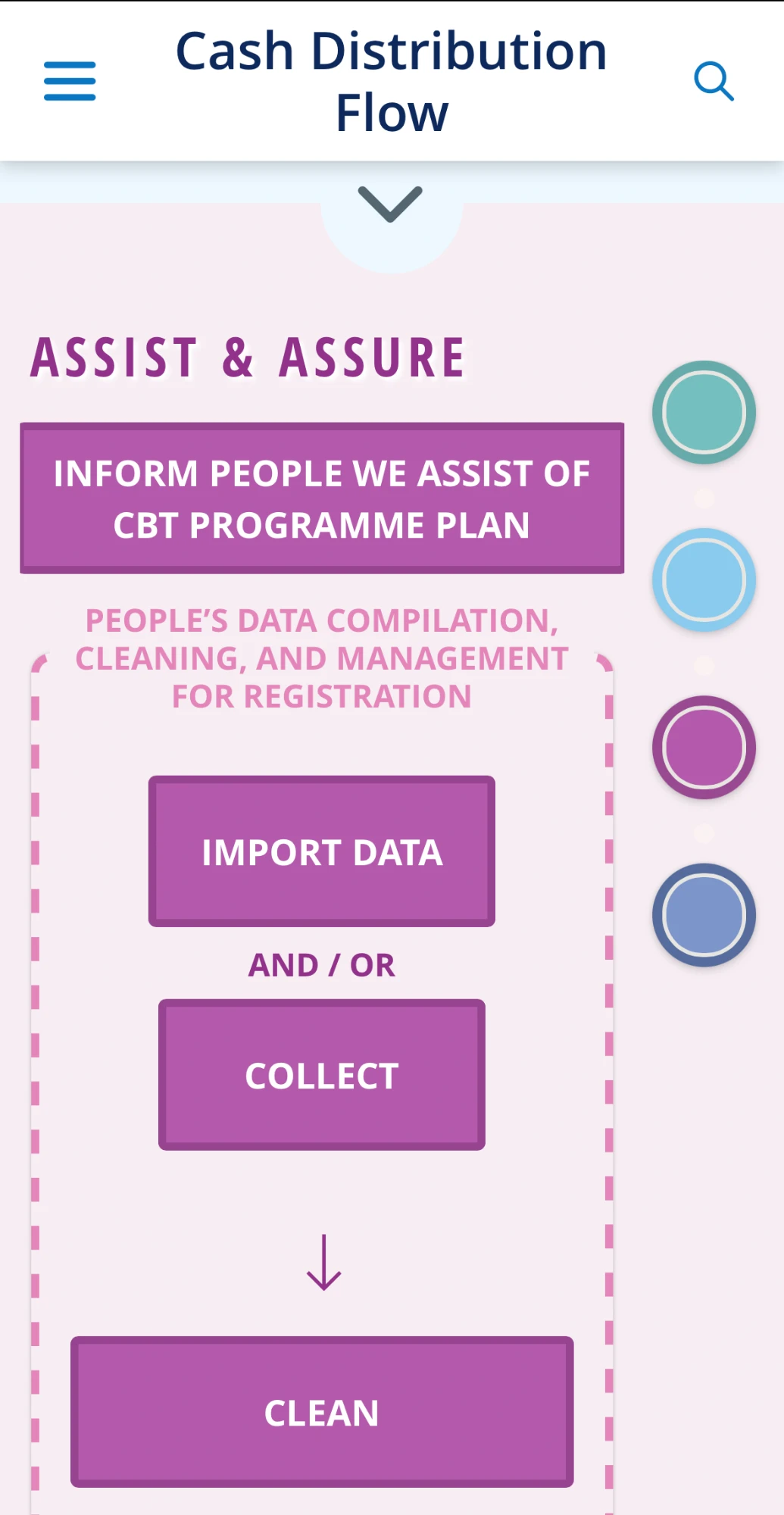
03 · Assist & Assure
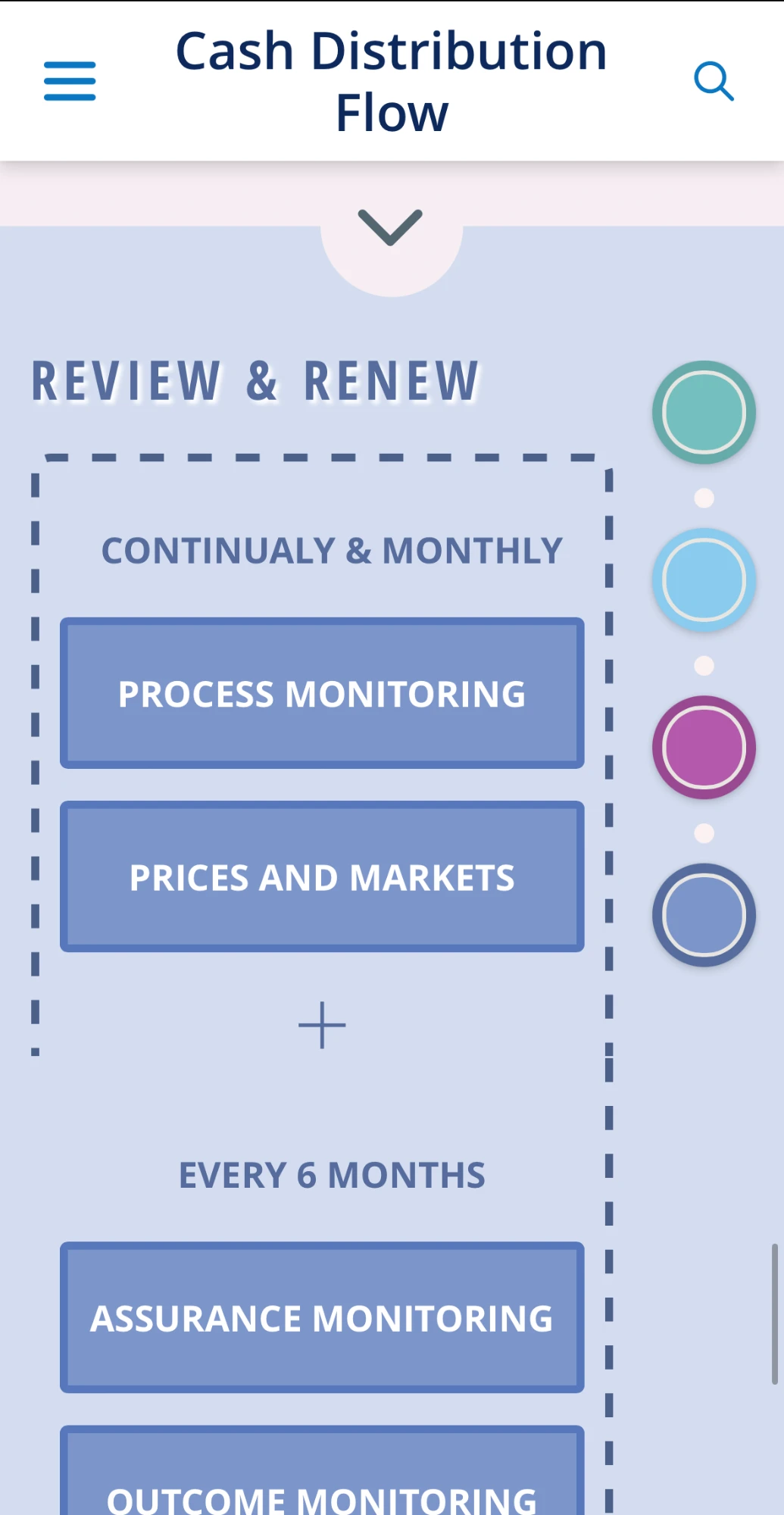
04 · Review & Renew
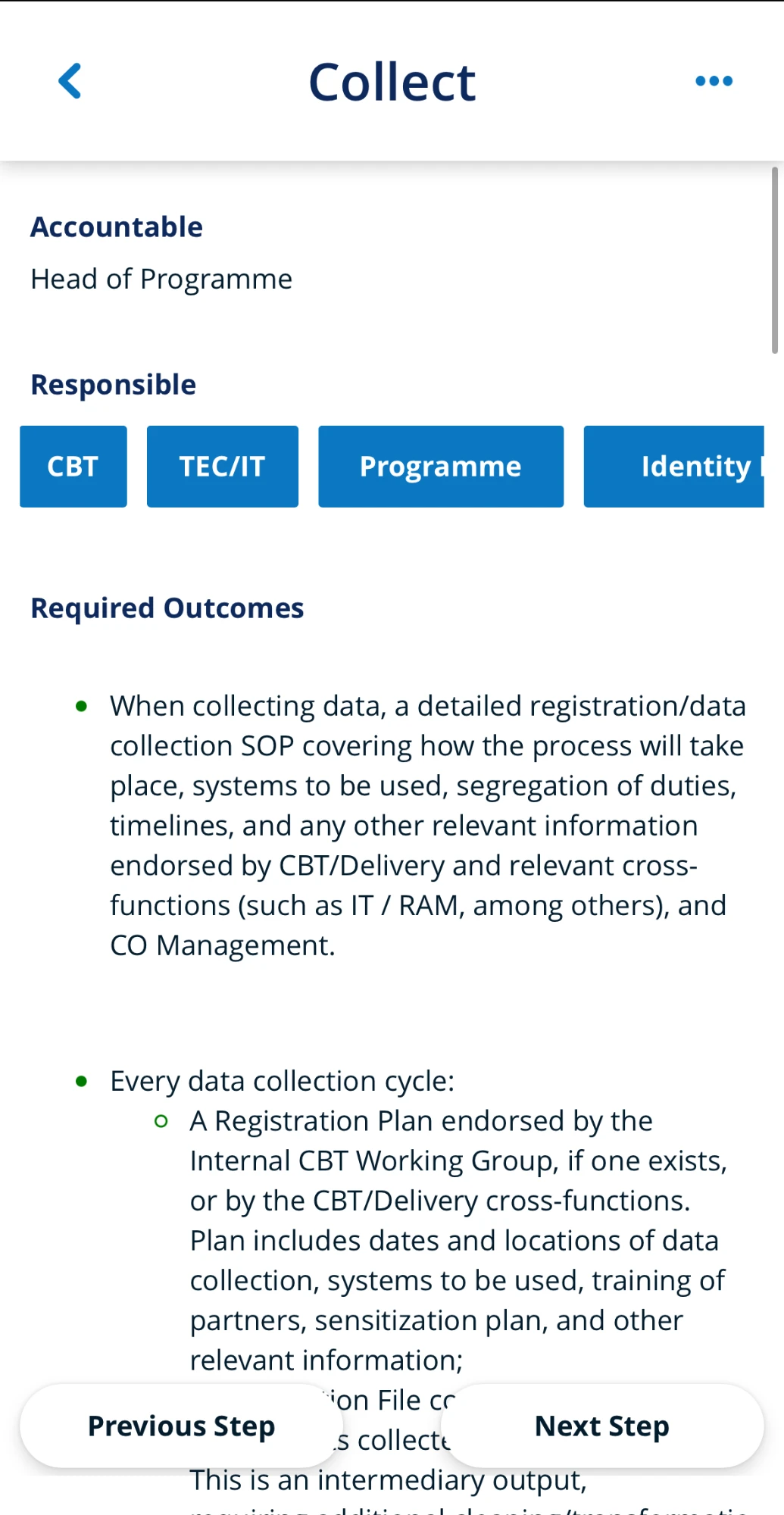
A step · accountable, responsible, required outcomes
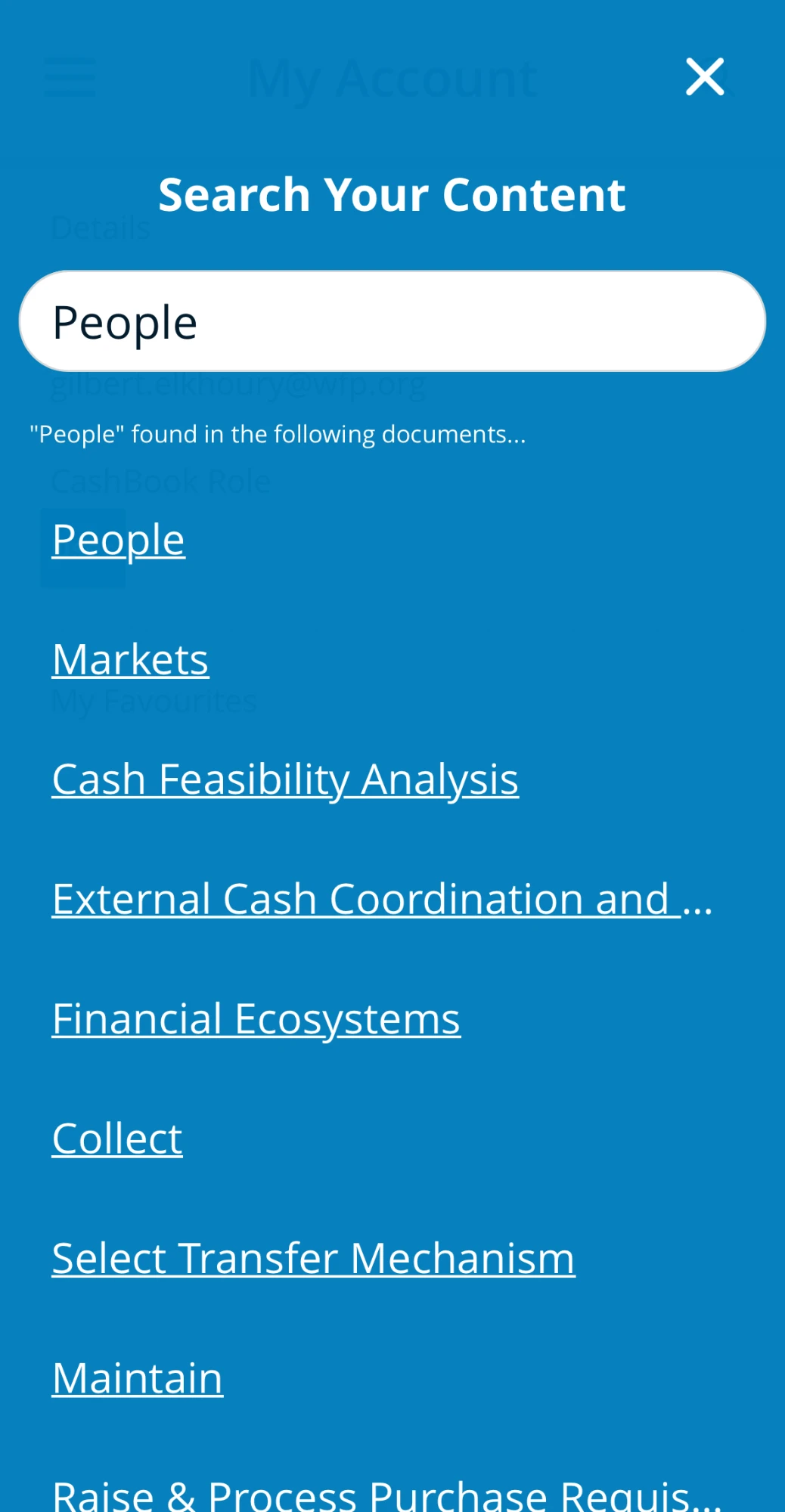
Search · across the whole manual
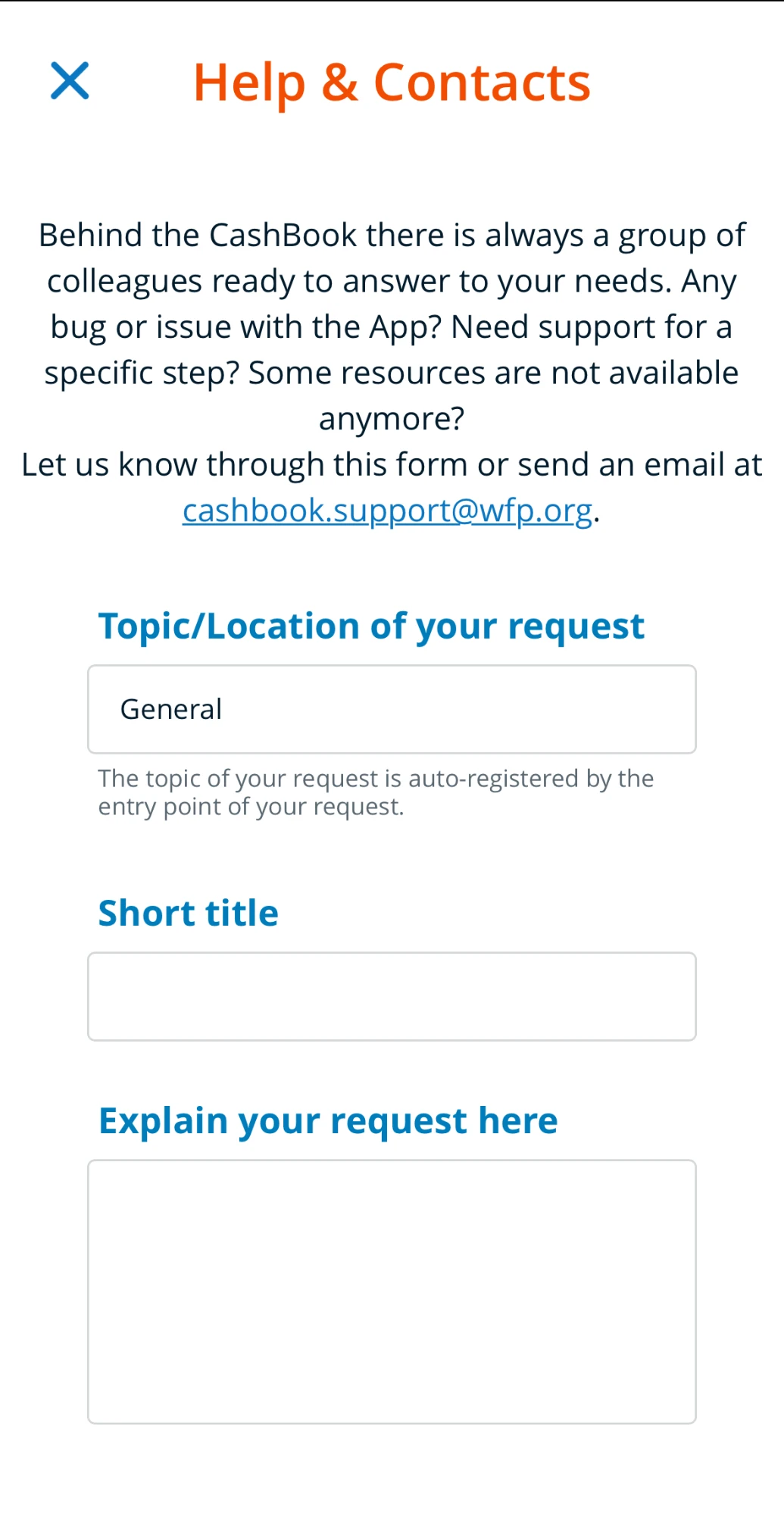
Help · the topic fills itself in
"A practical tool for your daily work activities that can support you on a laptop or on your mobile phone while working live with your team."
A short testimonial from the people behind this project will appear here.
Full name
WFP Country Office colleague
Prada.com,
the digital flagship.
UX direction for the relaunch of Prada’s global e-commerce on IBM WebSphere Commerce: one template system from editorial storytelling to checkout and the personal Wardrobe, across desktop, mobile and two market builds.
230+
final page
designs
28
page template
families
2
market builds
Global + China
2
devices, desktop
and mobile
The challenge
Prada.com had to read like the house, not like a shop: runway storytelling carried on a rigorous commerce spine, coherent across two devices and two market builds.
My role
UX Director at Reply for the relaunch of Prada’s global e-commerce: the experience, the architecture and the functional documentation the build ran on.
The approach
Rebuild the site as a system: 28 numbered template families, L01 to L28, carrying every page from editorial Stories through checkout to the personal Wardrobe.
The outcome
230+ final page designs across desktop and mobile and the global and China builds, handed to engineering with functional documentation template by template.
Editorial soul, e-commerce spine.
Prada’s site had to read like the house, not like a shop: runway storytelling carried on a rigorous commerce system, coherent across desktop, mobile and two market builds.
01 · Editorial meets commerce
Every story is shoppable
Fashion shows, campaigns and Stories flow straight into product: Shop by Look, Total Look pages and look carousels turn the runway into a journey that ends in the bag.
02 · One system, every page
28 template families, L01 to L28
Login, navigation, category, product, checkout, profile, store locator: each page belongs to a mapped template family, so the experience never loses coherence.
03 · Beyond the funnel
From e-commerce to the boutique
A personal Wardrobe ("What I own / What I desire") and in-boutique appointment booking connect the digital flagship to the physical maison.
One journey, mapped template by template.
The redesign started from an AS-IS mapping of the existing site, then rebuilt it as a system: every page belongs to one of 28 numbered template families. The architecture below is reconstructed from the delivered files, L01 to L28.
Discover
Homepage, Stories and editorial articles
Browse
Navigation levels, category, sub-category, listing
Decide
Product page, zoom and Total Look
Buy
Search, shopping bag, checkout, orders and returns
Own
Wardrobe, profile, agenda and store locator
Three flows carried the strategy
01 · The editorial funnel
From runway to bag
Every story, show and campaign can end in a purchase without ever feeling like a shop.
02 · Frictionless checkout
Guest or account, three steps
Checkout welcomes guests without an account and resolves in three numbered steps.
03 · The ownership loop
From wishlist to the maison
The Wardrobe separates desire from ownership, and hands both to a personal shopper in boutique.
From story to checkout.
Five moments of the shipped design, as delivered. Scroll the strip sideways, hover a mockup and scroll to browse the full page inside it, or click to open it in the viewer.
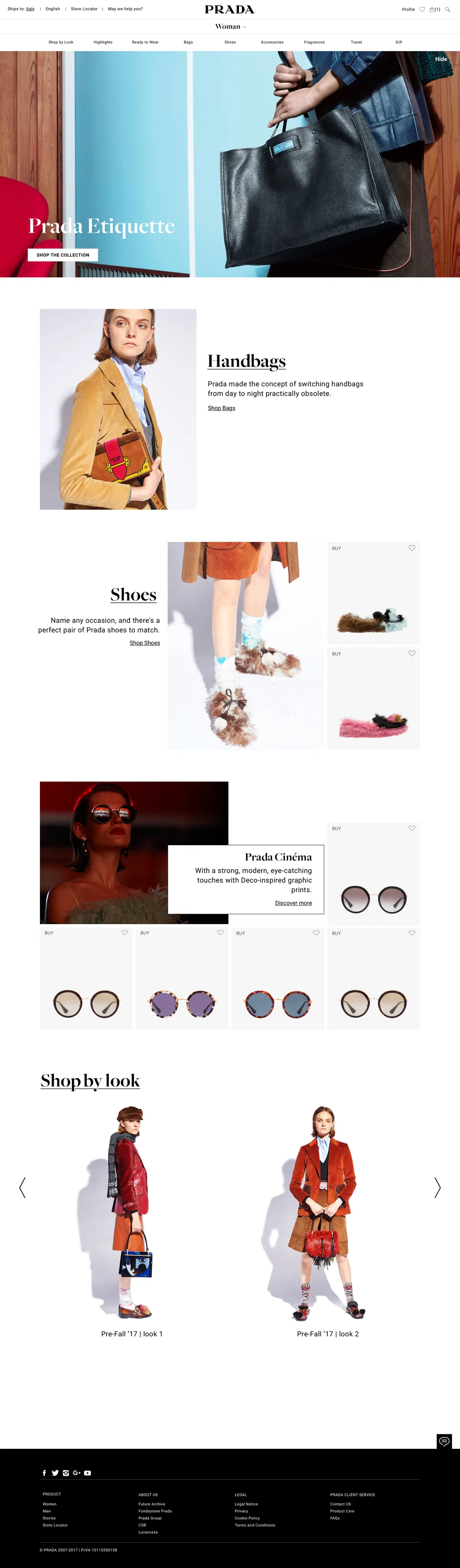
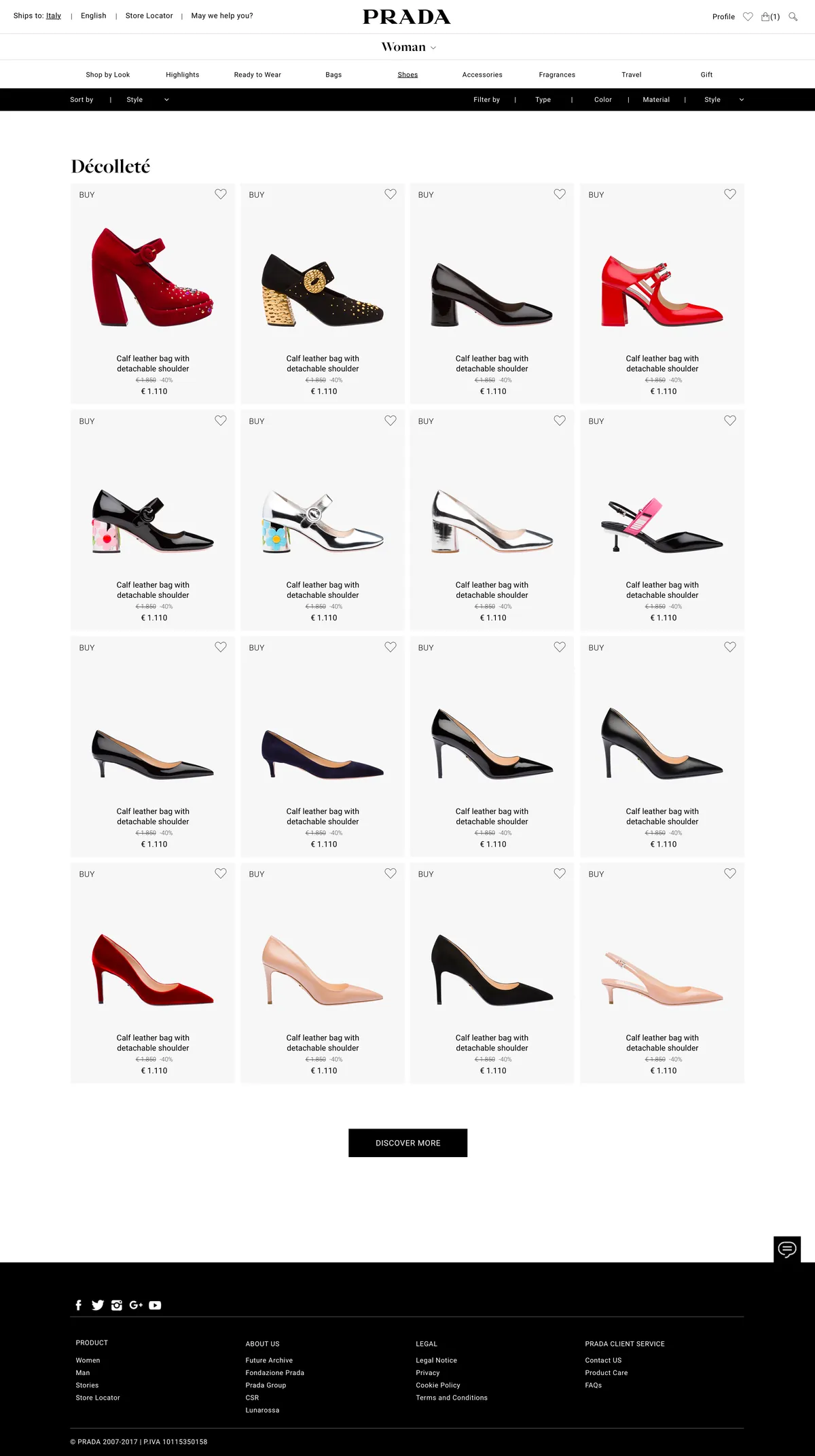
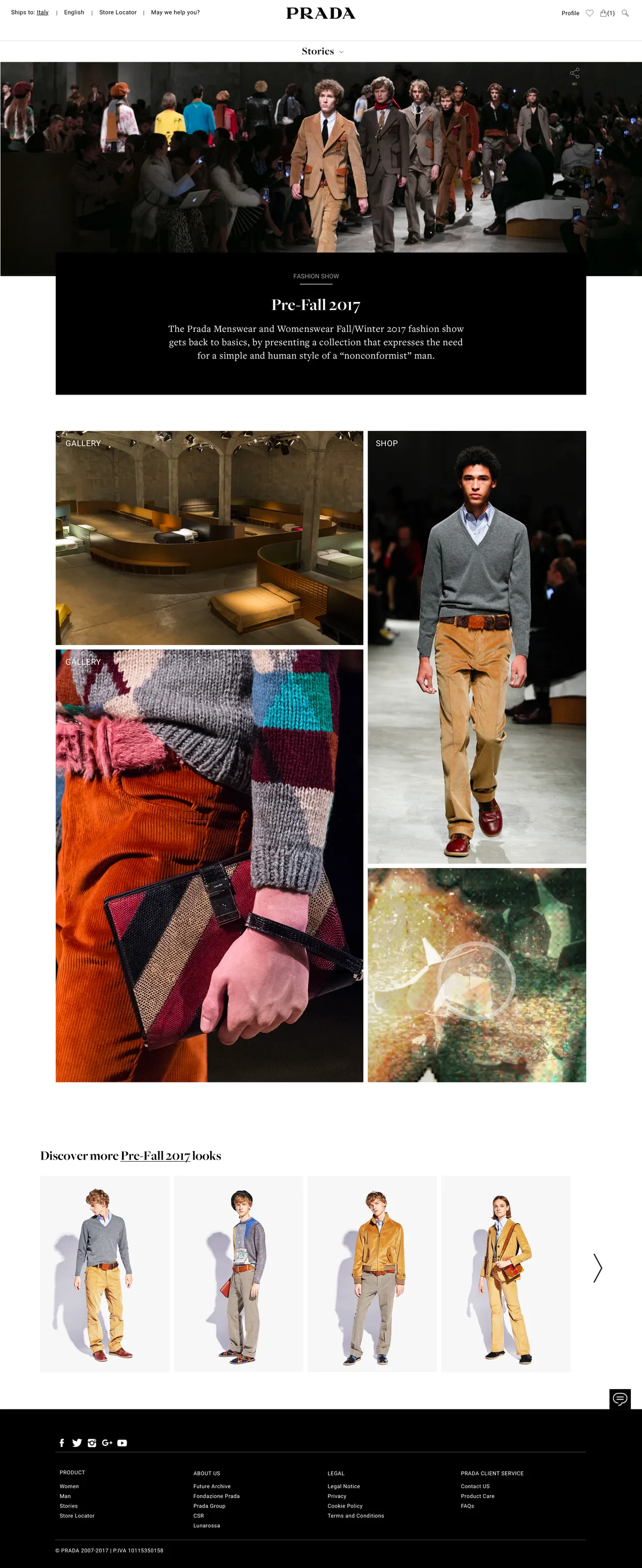
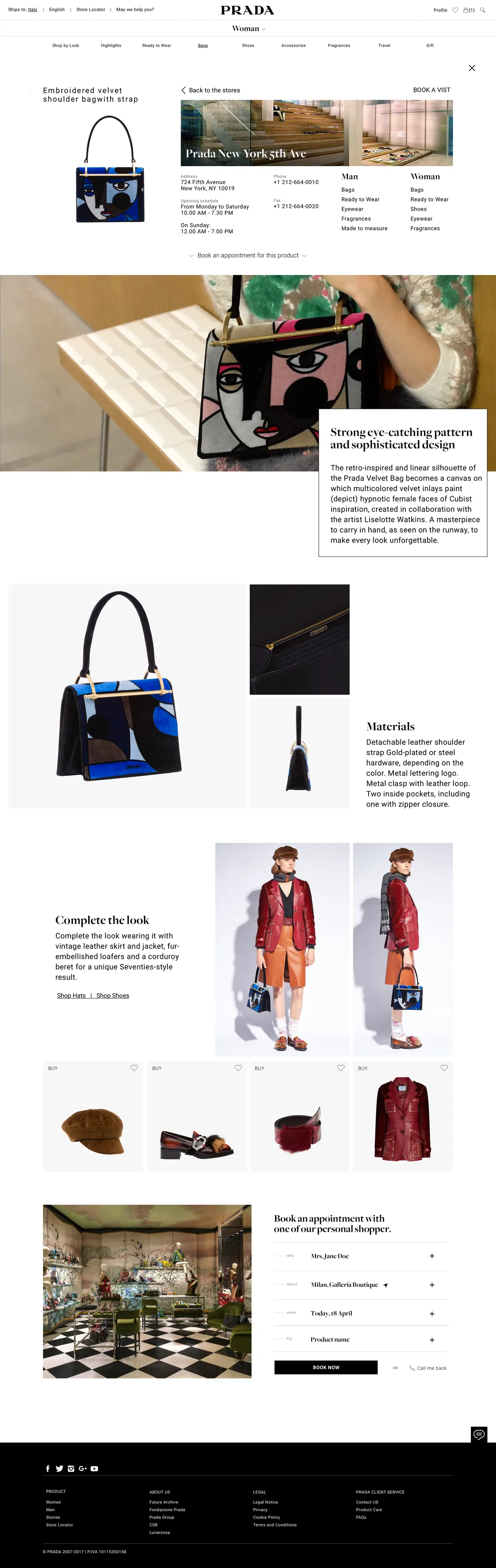
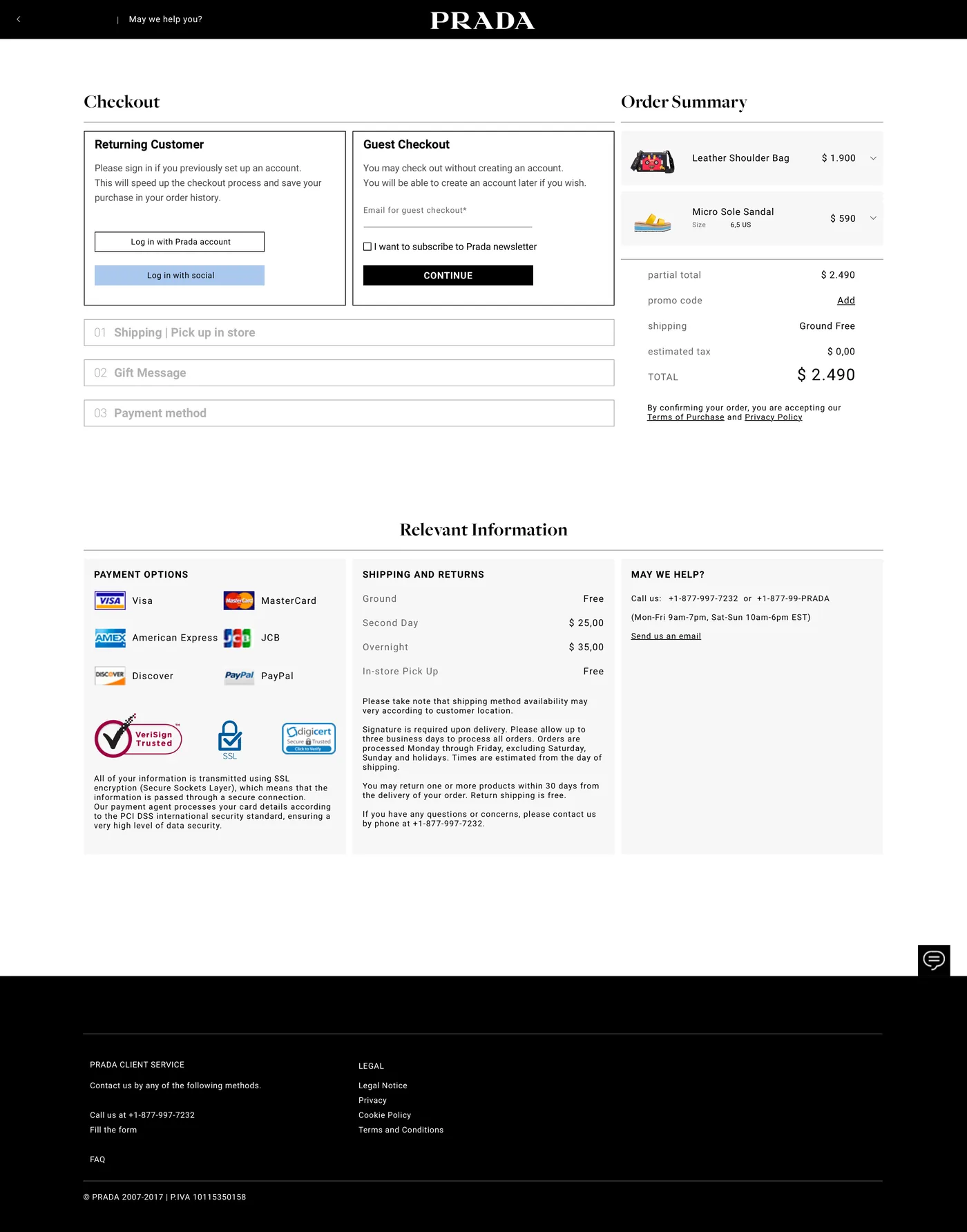
Attribution. Work produced in my role at Reply for Prada. Screens show the interface design as delivered.
The same couture, in one hand.
Every template was designed for mobile as a first-class citizen: the homepage editorial flow, the personal Wardrobe and the build-your-look experience.

Mobile homepage

Personal Wardrobe

Build your look
Documented to be built.
A design only counts if engineering can build it. The hand-off included functional documentation mapping behaviours, states and rules template by template, for the WebSphere team.
One design language, the whole journey.
230+
final page designs
delivered
28
template families
L01 to L28
2
market builds
Global + China
1
journey, from story
to checkout
A short testimonial from the people behind this project will appear here.
Full name
E-commerce team · Prada
Magic Kinder, play,
designed with care.
UX/UI design for Ferrero's Magic Kinder ecosystem: the kids' content Hub app and the mobile site, where children find games, videos and stories with licensed characters, parents keep control from a protected area, and the surprise toys live on in a digital Sorpresario.
2
products,
one universe
1,700+
design files
delivered
8
languages,
store-ready
4
content worlds,
games to surprises
The challenge
A product for children is really two products: a world a three-year-old can navigate alone, and a system their parents can trust.
My role
UX/UI designer at Reply for Ferrero’s Magic Kinder ecosystem: the kids’ Hub app on tablet and smartphone, and the mobile site beside it.
The approach
No reading required: big targets, characters as landmarks, colour-coded worlds and age badges, with a locked parent area and age gates guarding the way in.
The outcome
1,700+ design files delivered in eight store-ready languages, across four content worlds, with kidSAFE COPPA certification over the whole ecosystem.
Design for kids, answer to parents.
A product for children is really two products: a world a 3-year-old can navigate alone, and a system their parents can trust. Magic Kinder had to do both, while honouring a catalogue of licensed characters and refreshing itself with the seasons.
01 · Kid-first interaction
No reading required
Big targets, characters as landmarks, colour-coded worlds and age badges (3+, 5+, 7+) let children explore games, videos and stories on their own.
02 · Parents in control
A protected grown-up area
A locked parent space with tips, expert content and settings, age gates at entry, and kidSAFE COPPA certification across the ecosystem.
03 · A licensed universe
Many brands, one language
Care Bears, Oddbods, Natoons and seasonal themes each keep their identity inside one coherent Magic Kinder design system.
EngagementBrief-led, client side. The brief set the scope and the constraints of the licensed content; the designs were validated in testing sessions before release.
Games, videos, stories, surprises.
The mobile site and the app share one universe. Scroll the strip sideways, browse inside each mockup, click to zoom.
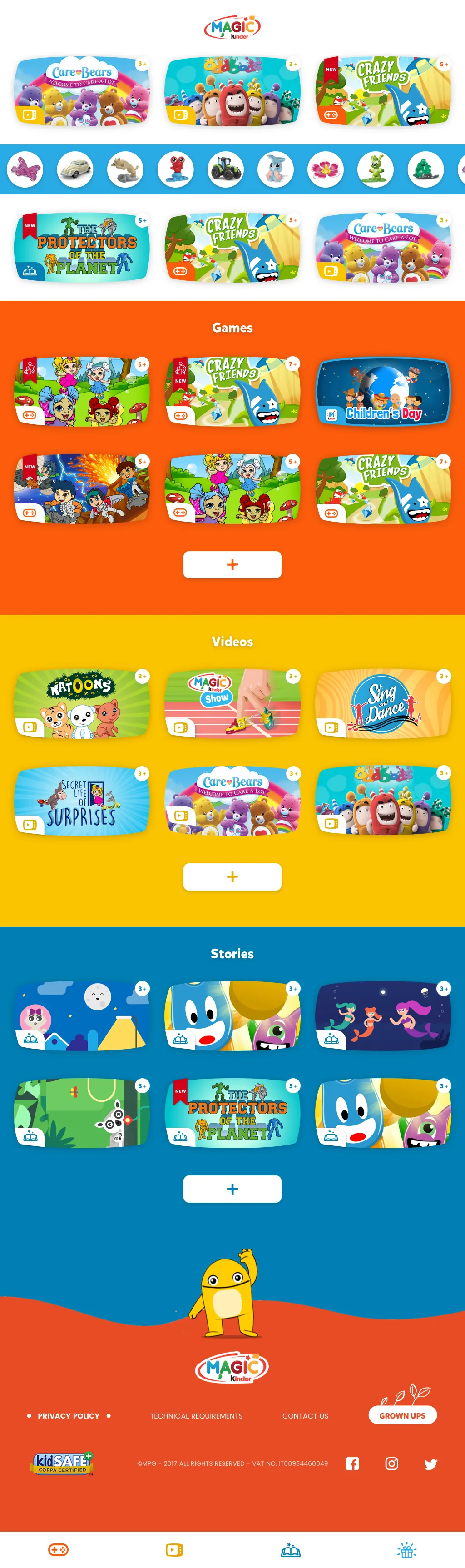
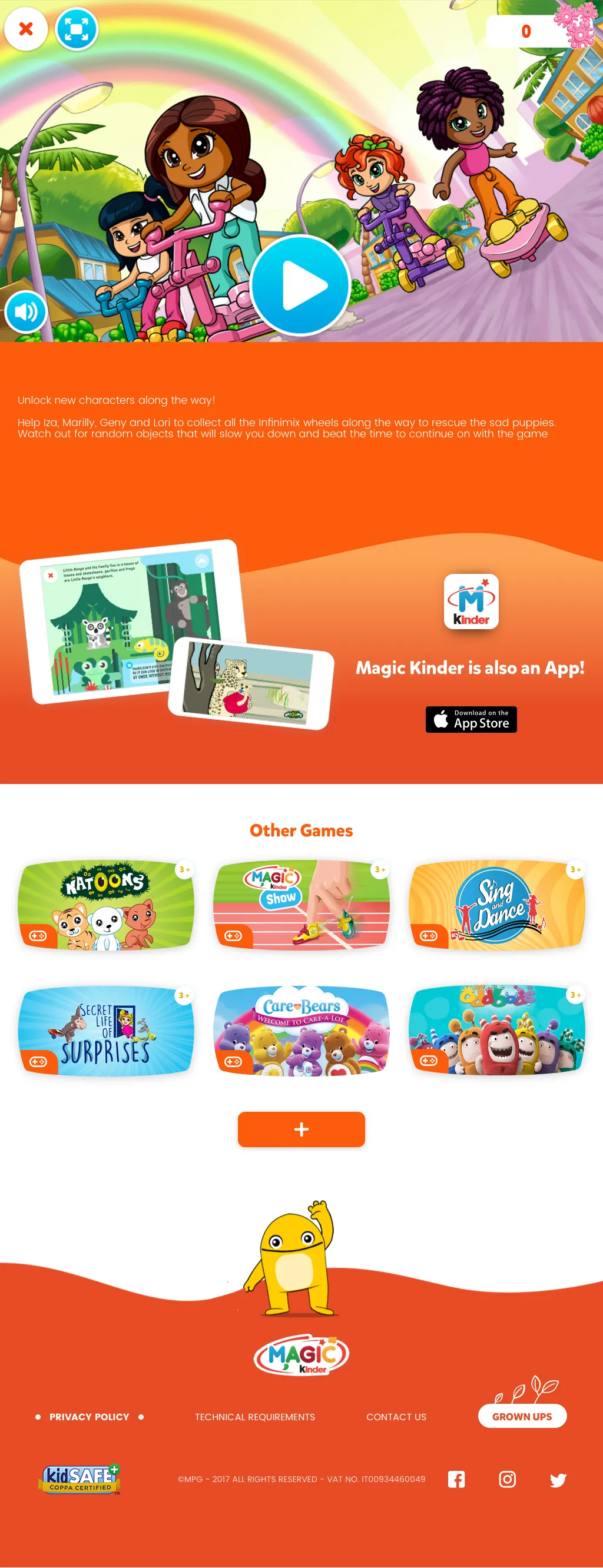
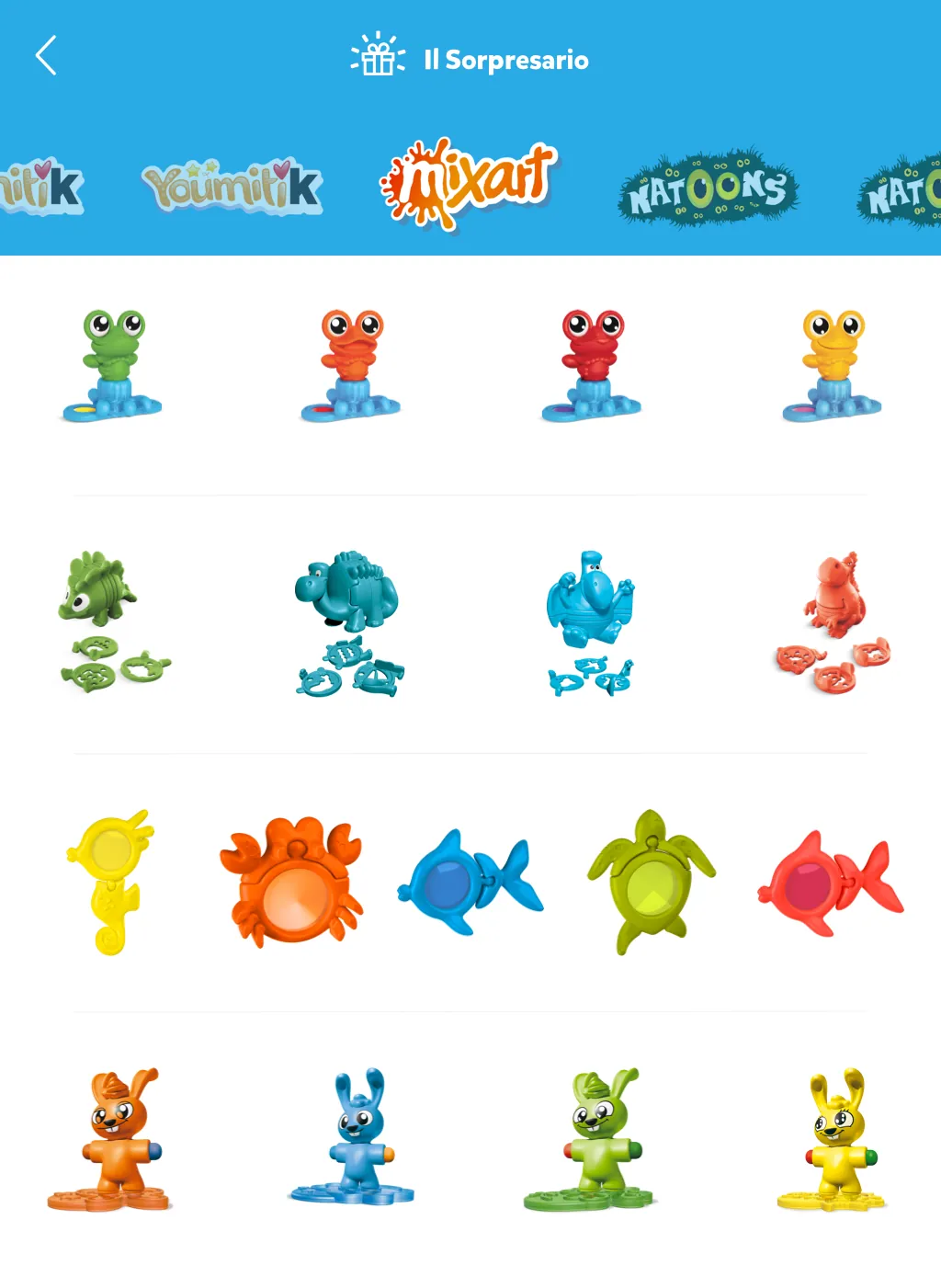
Attribution. Work produced in my role at Reply for Ferrero. Screens show the interface design as delivered; licensed characters belong to their respective owners.
The same worlds, in a kid's pocket.
The mobile site brings the full universe to any phone: content worlds by colour, story and video detail pages, and the app always one tap away.

Mobile home

Story detail

Video player
A universe children can roam, safely.
kidSAFE
COPPA certified,
safety built in
3+
age-banded content,
3+, 5+ and 7+
Seasonal
themes refresh the app
through the year
1
design language, app,
site and seasons
TIMmusic, a shared identity
made for music.
TIM was unifying its entertainment services under one visual concept. My work: make that shared identity carry a full streaming product, from editorial storytelling to playlists and radio, across web, iOS and Android.
54
final web
screens
12
sections,
onboarding to artist
3
platforms
in scope
4
sibling services,
one identity
The challenge
A corporate visual concept shared with TIMvision, TIMgames and TIMreading had never been drawn around album art, playlists and a docked player.
My role
UX/UI designer at Reply for TIMmusic, covering architecture, interaction and visual design across responsive web, iOS and Android.
The approach
Benchmark the category before bending the brand: how people already find a library and reach for a player decided the twelve sections and the persistent playlist rail, not the concept.
The outcome
54 final web screens answering the client’s three asks: the architecture, wireframes for playlist and queue editing, and a full-fidelity proof that the concept could sing.
Inherit a look, earn a behaviour.
A shared corporate concept is a gift and a cage: it guarantees family resemblance but was never drawn around album art, playlists and a docked player. TIMmusic had to look TIM and behave like a music service.
01 · The constraint
One identity, four services
The visual concept was shared with TIMvision, TIMgames and TIMreading. Music got its own declination, not its own language.
02 · The content
A catalogue, not a catalogue page
Editorial playlists and personal ones, radio, offline listening, recommendations, charts and artist pages: every surface competes for the same screen.
03 · The proof
Method, before pixels
The client's request asked for architecture and interaction thinking first, and only then a visual mockup that proved the concept could sing.
Benchmark first, then the brand.
A shared corporate concept arrived with the brief, drawn for a family of services rather than for music. Before bending it into a streaming product I benchmarked the category: how the services people already use organise a library, where they keep the player, what a listener reaches for without being taught. Those reference points, not the concept, decided the structure.
Three asks, three deliverables.
The client's request for information was precise about what it wanted to see. Each ask mapped to a piece of work, and each is visible in the screens below.
Ask 01 · Architecture
First and second level architecture: twelve sections, from onboarding and search to charts, genres and the personal library, with a persistent right rail for playlists.
Ask 02 · Interactions
Wireframes for creating a playlist and editing the queue, the two moments where a streaming service feels effortless or falls apart: an inline edit mode with undo, restore and confirm.
Ask 03 · Visual proof
A mockup that creates a playlist and plays a track, delivered at full fidelity: cover art drives the page palette, the player stays docked while you browse.
Confidential. The client's brief is an internal document and can't be shown here; only what it asked for is described.
Let the artwork light the room.
Full-bleed artwork, type that steps back, and a player that stays with you: the home screen with a track playing. Click to zoom.

From discovery to your own playlist.
Five moments of the delivered design. Scroll the strip sideways, browse inside each mockup, click to zoom.
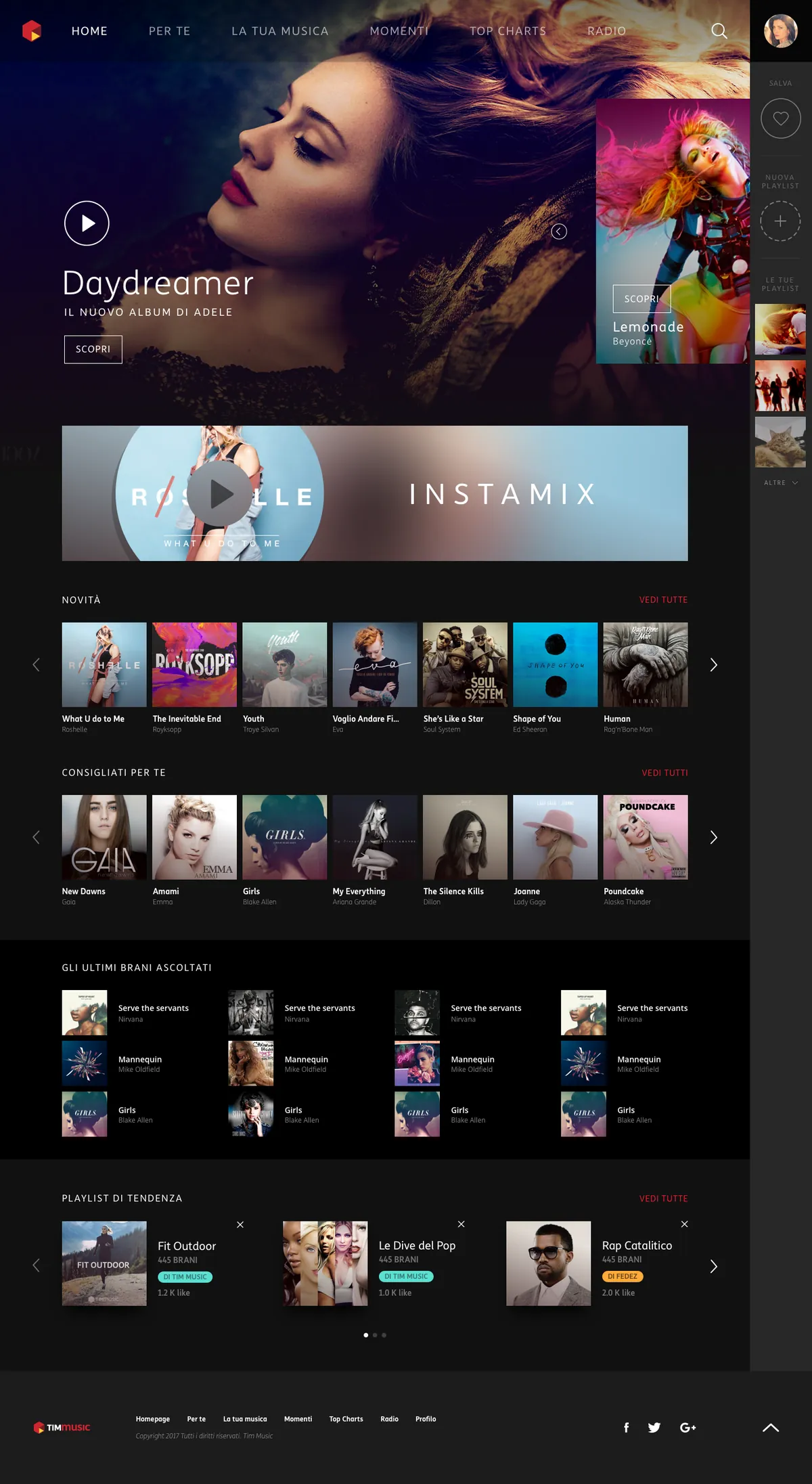
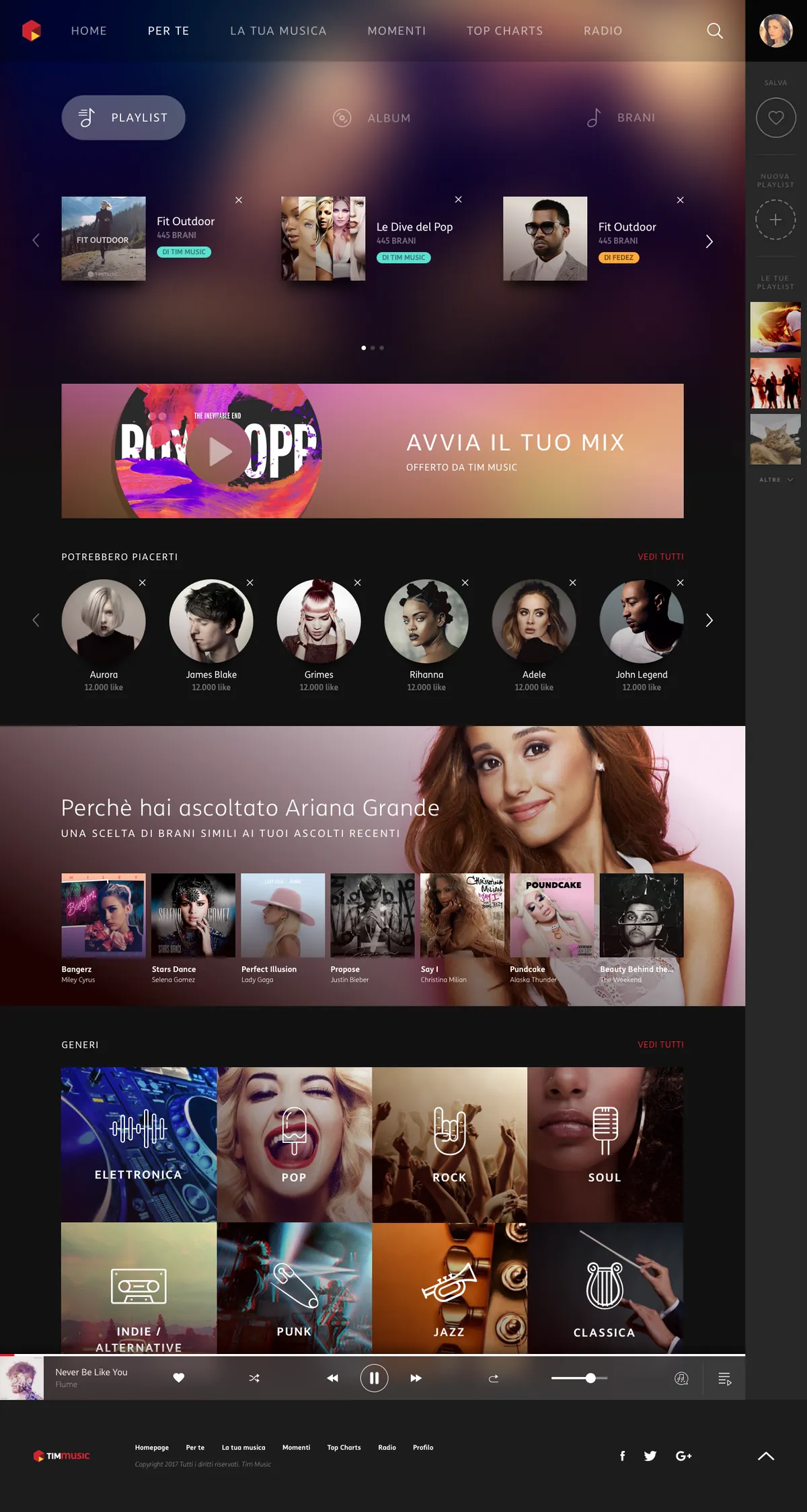
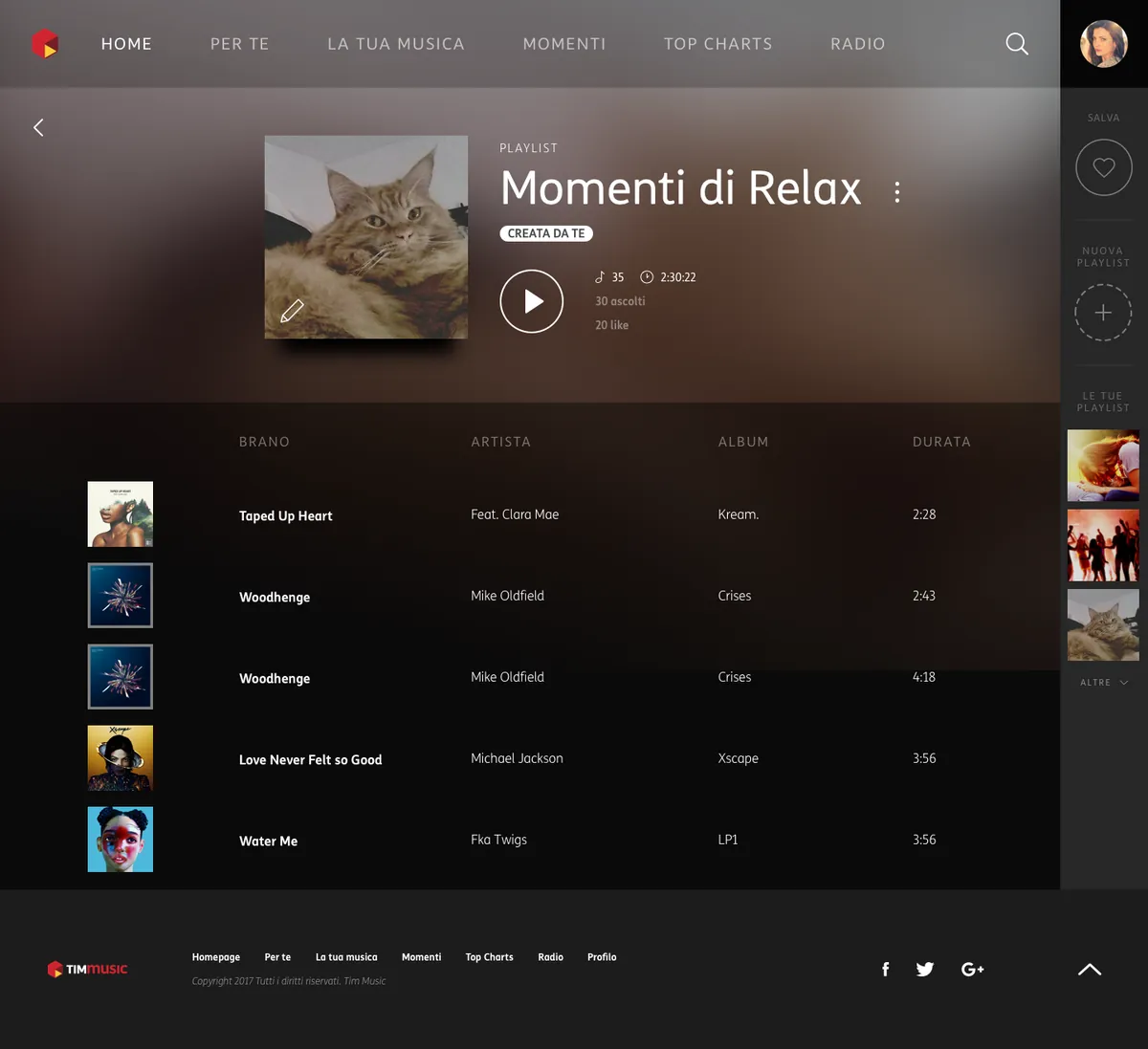
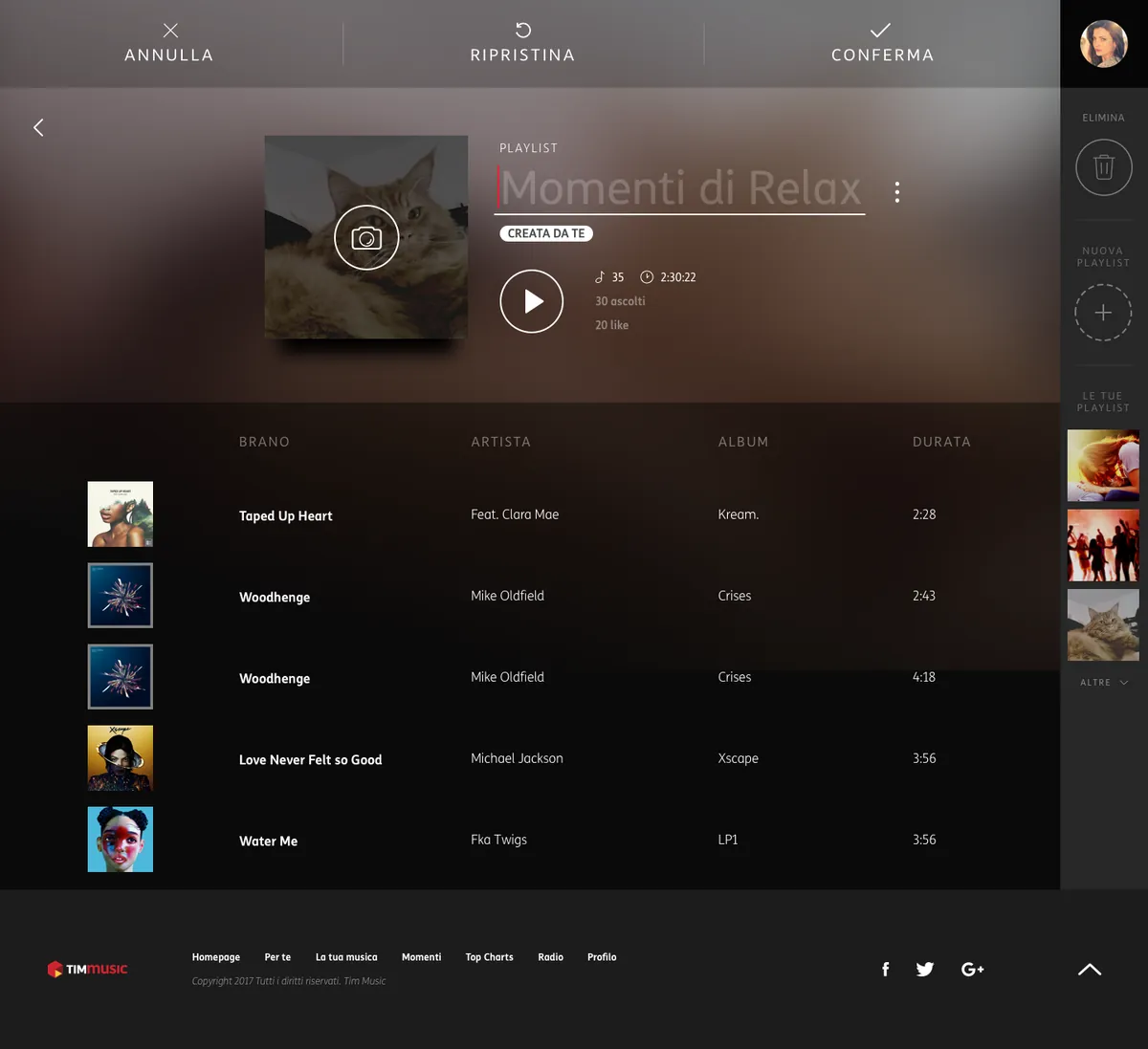
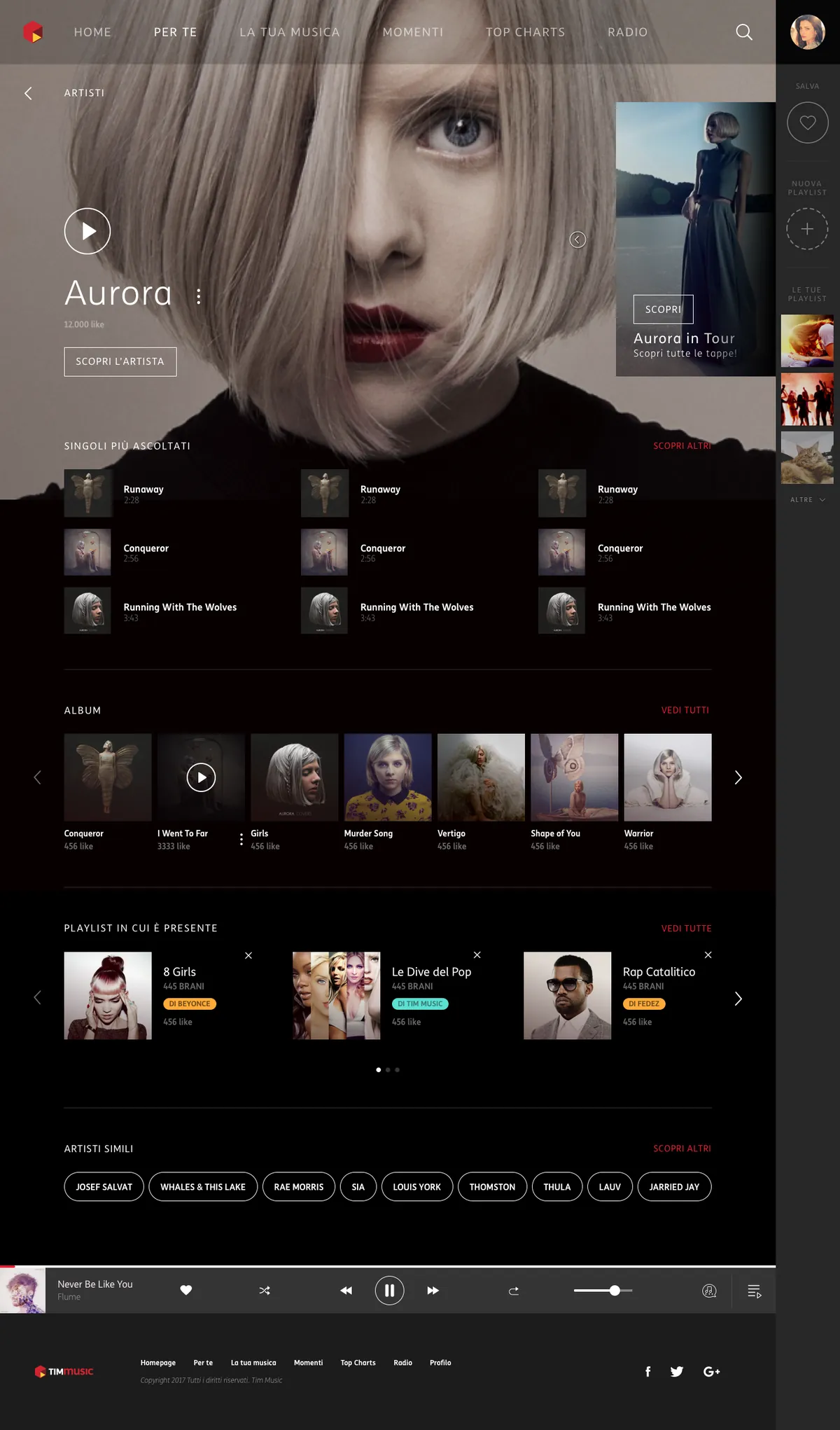
Attribution. Work produced in my role at Reply for TIM. Screens show the interface design as delivered; artists, artwork and figures are placeholder content from the design files.
A corporate concept, fluent in music.
Docked
the player follows you,
page to page
Artwork
covers set the palette
of every page
Undo
every playlist edit
is reversible
Family
recognisable beside
TIM's other services
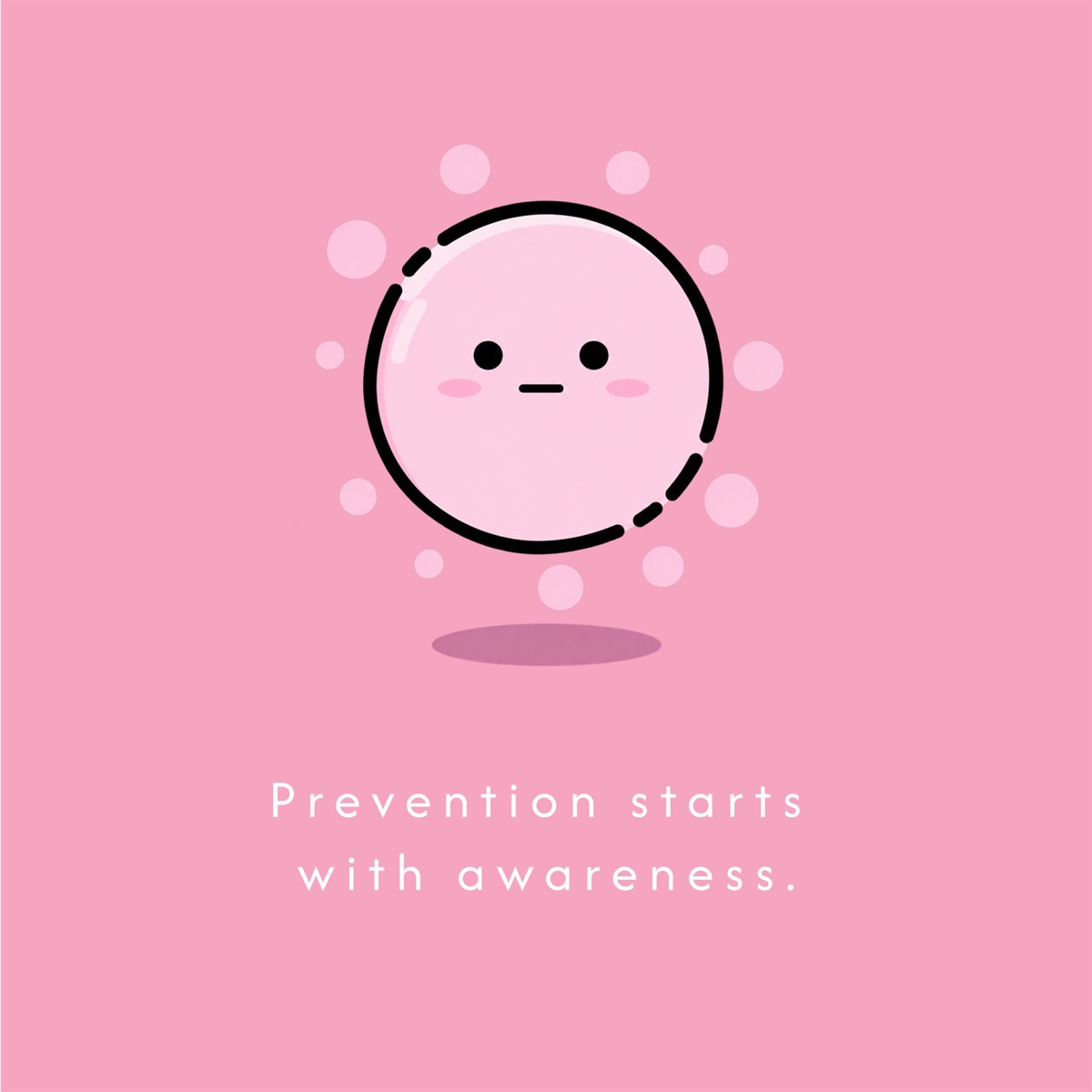
CMV, a scary virus
made approachable.
A web app about cytomegalovirus, harmless to most people and dangerous in pregnancy. Prevention in plain language for anyone who lands on it, and a code-protected area with a weekly calculator, a shared agenda and the nearest testing centres.
2
areas, public
and protected
10
screens mapped
end to end
3
tools, calculator
agenda, centres
1
code opens
the private side
The challenge
Health content defaults to clinical and frightening, which is the fastest way to lose a pregnant woman looking up a virus that can harm her baby.
My role
UX/UI designer and front-end at Reply: information architecture, UI design, a custom icon set, and the build itself.
The approach
Draw the line between open and protected first: prevention readable by anyone without a login, and the weekly calculator, agenda and testing centres behind a code.
The outcome
Ten screens across a public and a private side, warm rather than clinical, with every medical claim checked in recurring sessions with the association’s doctors.
Say "virus" without saying "panic".
Health content defaults to clinical and frightening. For pregnant women looking up a virus that can harm a baby, that is the fastest way to lose them: the app had to be warm enough to read and precise enough to trust.
01 · Tone
A friendly face for a scary word
An illustrated character, soft coral gradients and short plain sentences turn "cytomegalovirus" into something you can actually read while worried.
02 · Two visitors
One door, two journeys
Anyone can read prevention information freely. Women in a monitoring programme enter a code and unlock a private space built around their weeks.
03 · Usefulness
Beyond the leaflet
A weekly calculator, an agenda for appointments and the nearest testing centres, with distance, phone and email one tap away.
A medical subject you cannot get wrong.
Cytomegalovirus is technical ground, and the audience is reading it while worried. Three strands of research came before the first screen.
01 · Benchmark
How health apps handle sensitive data
I studied how applications built around sensitive health data are set up: what they ask for, what they protect, and where they draw the line between open information and a private area.
02 · Subject matter
Sessions with the association, doctors included
The association that commissioned the app has doctors among its members. Recurring sessions with them checked the content and the claims: on a medical subject accuracy is a design constraint, not a proofread at the end.
03 · Illustration
What a drawing is allowed to do here
I researched which register of illustration holds up in a sensitive health context: warm enough to be read by someone frightened, never so playful that it makes light of the diagnosis.
Where the private side begins.
The navigation tree that set the product: everything above the dotted line is open to anyone, everything below it needs a code. Drawing that line first is what kept the public side generous and the private side focused. Click to zoom.

Coral, not clinical.
The delivered design: entry screen, menu, information pages and the nearby centres list, with a custom icon set drawn for the app. Click the board to zoom.
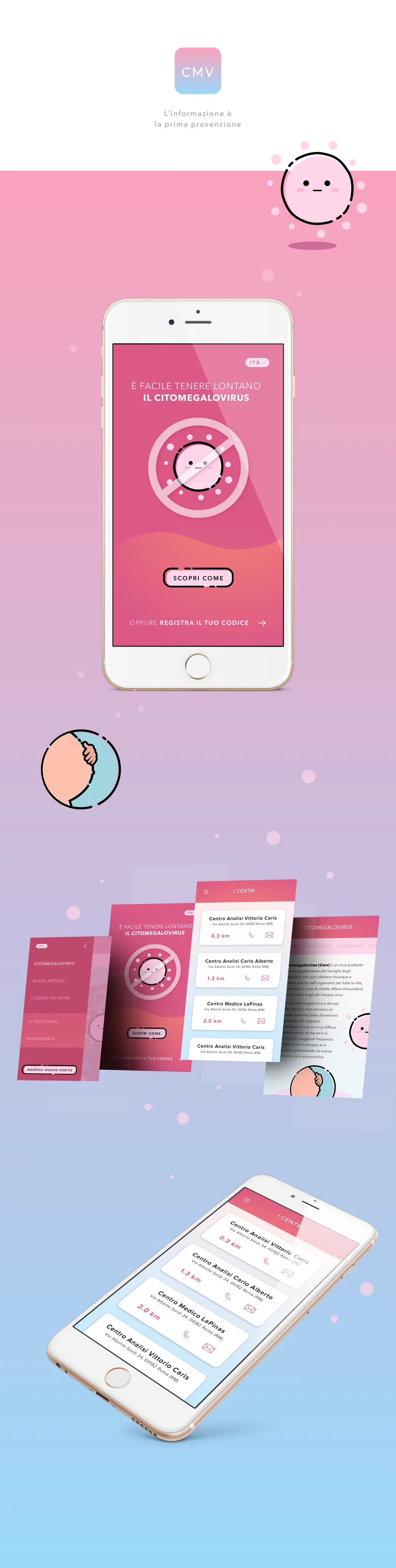
Attribution. Work produced in my role at Reply. Centre names, addresses and codes shown are placeholder data; the programme documentation stays with the client.
Prevention people actually read.
Warm
an illustrated character
instead of clinical stock
Open
prevention readable
without any login
Weekly
a calculator that follows
the pregnancy
Nearby
testing centres, sorted
by distance
15 years, 20+ brands, across 6 sectors.
Before moving into humanitarian design, I worked across luxury, finance, healthcare and telecoms, leading UX and UI design at Reply and earlier agencies for clients including Prada, TIM, Luxottica and more.
Prada.com e-commerce
TIM Music
Magic Kinder
Citomegalovirus app
The work shown was produced in my roles at the World Food Programme and Reply, on behalf of the respective organisations and clients. All names, logos and trademarks belong to their owners and appear for portfolio purposes only.
Let's work together.
Available for senior design roles, consulting, and advisory.